ECHS Login Not Working? 10 Common Fixes (2025)

If you’re trying to access the ECHS login portal and it’s not working, you’re not alone. Thousands of Ex-Servicemen and dependents face login issues every month—especially during peak claim or card-related periods.

This 2025-updated guide explains the 10 most common reasons why ECHS login fails and exactly how to fix each one.

If you are new to the portal, first read our complete guide on
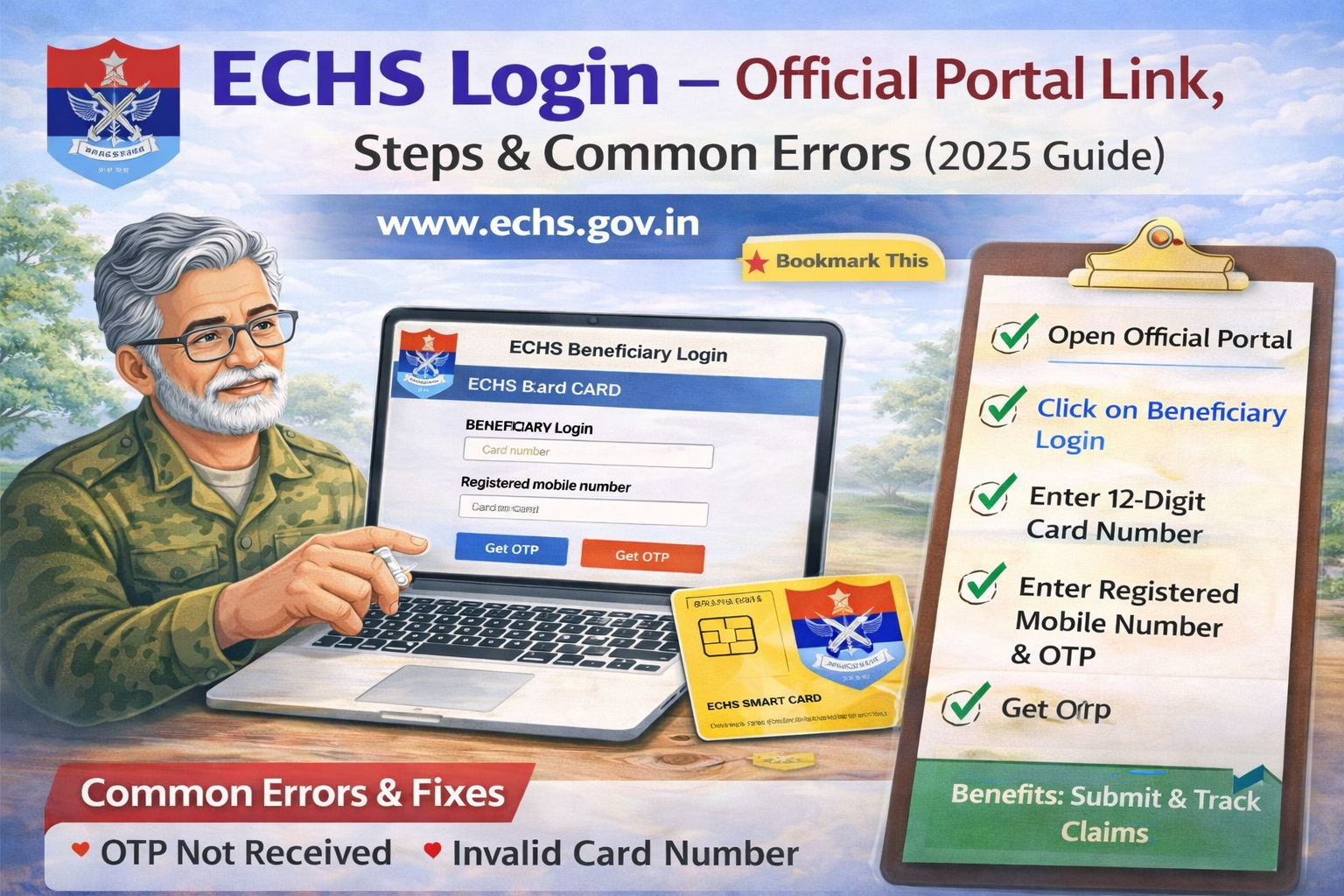
ECHS Login – Official Portal Link, Steps & Common Errors
to understand the correct login process.


1️⃣ Incorrect ECHS Card Number (Most Common Issue)

Problem:
The portal accepts only a 12-digit ECHS card number. Even one wrong digit causes login failure.

Fix:

  • Check the number printed on your 64KB ECHS smart card
  • Don’t add spaces or hyphens
  • Re-enter manually (avoid copy-paste)

2️⃣ Mobile Number Not Linked With ECHS Records

Problem:
OTP is sent only to the mobile number registered in ECHS records.

Fix:

  • Use the original registered mobile number
  • If changed, update it at your ECHS Polyclinic
  • Carry Aadhaar + ECHS card for verification

3️⃣ OTP Not Received or Delayed

Problem:
OTP SMS delay due to network congestion or DND services.

Fix:

  • Wait at least 2–3 minutes
  • Ensure mobile has network signal
  • Disable DND / SMS blocking
  • Retry during non-peak hours (early morning works best)

4️⃣ ECHS Server Down or Under Maintenance

Problem:
ECHS servers are frequently under maintenance—especially weekends.

Fix:

  • Try again after some time
  • Login during 10 AM – 4 PM (working days)
  • Avoid late night attempts

5️⃣ Browser Compatibility Issues

Problem:
ECHS portal doesn’t work properly on all browsers.

Best Browsers (2025):
✅ Google Chrome
✅ Microsoft Edge

Fix:

  • Clear browser cache
  • Disable ad-blockers
  • Avoid UC Browser / outdated browsers

6️⃣ Captcha Code Error

Problem:
Captcha is case-sensitive and time-limited.

Fix:

  • Enter captcha exactly as shown
  • Refresh captcha if unclear
  • Avoid auto-fill tools

7️⃣ Multiple Failed Login Attempts

Problem:
Too many wrong attempts may temporarily block login.

Fix:

  • Wait 30–60 minutes
  • Avoid repeated retries
  • Try again later with correct details

8️⃣ Password Issues (For Registered Users)

Problem:
Old or incorrect password entered.

Fix:

  • Use “Forgot Password” option
  • Answer security questions correctly
  • Reset password and login again

9️⃣ Using Wrong Login Page

Problem:
Many users click fake or outdated ECHS links from Google.

Fix:
Always use the official ECHS portal only.
Avoid third-party or copied websites.


🔟 Portal Overload During Peak Periods

Problem:
Heavy traffic during:

  • Mediclaim submission deadlines
  • Smart card updates
  • Rate revision announcements

Fix:

  • Login early morning
  • Try weekdays
  • Be patient and retry later

✅ Quick Checklist Before You Retry Login

✔ 12-digit card number
✔ Registered mobile number
✔ Stable internet
✔ Chrome / Edge browser
✔ Correct captcha
✔ Official ECHS portal


🧠 Pro Tip (Highly Recommended)

If login still fails after multiple attempts, don’t panic.

👉 Visit your nearest ECHS Polyclinic
👉 Or contact the ECHS Regional Centre with your card details


📌 Related Helpful Guides

(To improve your success rate, read these next)

  • ECHS Login – Official Portal Link, Steps & Common Errors (pillar guide)
  • ECHS OTP Not Received – How to Fix Fast
  • ECHS Password Reset Process (Step-by-Step)

ECHS Login – Official Portal Link, Steps & Common Errors (2025 Guide)

The Ex-Servicemen Contributory Health Scheme (ECHS) provides cashless medical treatment and reimbursement facilities to ex-servicemen, their dependents, and eligible family pensioners. To access online services like medical claim submission, claim status tracking, and beneficiary details, users must log in through the official ECHS portal.

This guide explains how to log in to ECHS, provides the official portal link, and covers common login problems with easy solutions.


🔗 Official ECHS Login Portal (Verified)

Use only the official ECHS websites to avoid fraud or data theft:

⚠️ Tip: Avoid clicking login links from WhatsApp, SMS, or unknown websites. Always type the URL manually.


🧾 Who Can Use ECHS Login?

You can use the ECHS login portal if you are:

  • Ex-serviceman drawing service or disability pension
  • Family pensioner / widow
  • Registered ECHS dependent
  • Empanelled hospital or diagnostic centre (separate login)
  • ECHS administrative or medical staff

🪪 Details Required for ECHS Login

Before logging in, keep these details ready:

  • 12-digit ECHS Card Number
  • Registered mobile number (linked with ECHS)
  • OTP (sent to registered mobile)
  • Stable internet connection

✅ Step-by-Step: How to Login to ECHS Portal

Step 1: Open the Official Website

Go to 👉 https://www.echs.gov.in

Step 2: Click on “Beneficiary Login”

You will find this option on the homepage or under Online Services.

Step 3: Enter Your Card Number

  • Enter the 12-digit ECHS card number
  • Do not add spaces or special characters

Step 4: Enter Registered Mobile Number

  • Use the same mobile number registered with ECHS
  • Do not start with 0 or +91

Step 5: Get OTP

  • Click Get OTP
  • Enter the OTP received on your mobile

Step 6: Login Successfully

Once verified, you can access:

  • Claim submission
  • Claim status
  • Profile details
  • Online services

🚨 Common ECHS Login Problems & Fixes

❌ 1. OTP Not Received

Possible reasons:

  • Mobile number not updated
  • Network issue
  • Server delay

Fix:

  • Wait 2–3 minutes and retry
  • Check signal/network
  • Contact ECHS Polyclinic to update mobile number

❌ 2. Invalid Card Number Error

Reason:

  • Wrong digit entered
  • Card not activated online

Fix:

  • Recheck 12-digit number
  • Visit nearest ECHS Polyclinic for verification

❌ 3. ECHS Website Not Opening

Reason:

  • Server maintenance
  • Browser compatibility issue

Fix:

  • Try Chrome or Edge
  • Clear browser cache
  • Try again after some time

❌ 4. Login Page Loading but Not Submitting

Fixes that work:

  • Disable ad-blocker
  • Use desktop/laptop instead of mobile
  • Try incognito mode

❌ 5. “Already Registered” but Cannot Login

Reason:

  • Partial registration
  • Old mobile number linked

Fix:

  • Use Forgot Password / OTP option
  • Contact ECHS support or Polyclinic

🔐 Is ECHS Login Safe?

Yes. The ECHS portal:

  • Uses OTP-based authentication
  • Is hosted on Government of India servers
  • Does not ask for bank details during login

⚠️ Never share your OTP with anyone.


📌 Services Available After Login

Once logged in, beneficiaries can:

  • Check ECHS claim status
  • Submit medical reimbursement claims
  • View referral details
  • Access online forms & updates
  • Track bill processing (for empanelled hospitals)

🔗 Internal Articles to Link From This Page (Important)

Use these as internal links from this pillar page:

  • 👉 ECHS Login Not Working? Common Fixes
  • 👉 ECHS Forgot Password / OTP Not Received
  • 👉 ECHS Claim Status Check Online
  • 👉 ECHS Reimbursement Process Step-by-Step
  • 👉 ECHS Helpline Number for Login Issues


❓ Frequently Asked Questions (FAQs)

Q1. Can I login to ECHS without OTP?

No. OTP verification is mandatory.

Q2. Can dependents use the same login?

Yes, dependents linked to the ECHS card can access services.

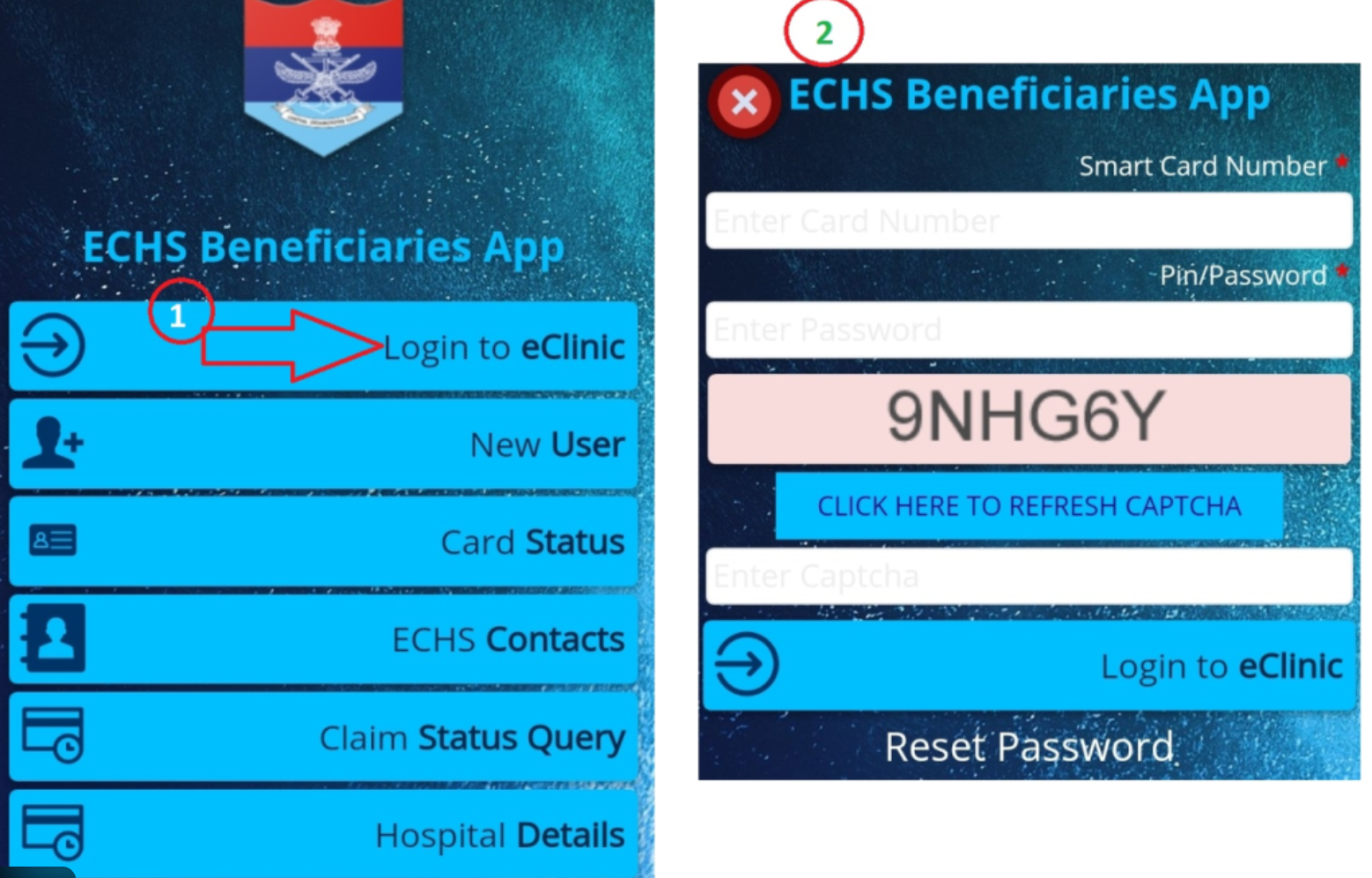
Q3. Is there a mobile app for ECHS login?

Currently, ECHS services are primarily web-based.

Q4. What if my mobile number has changed?

You must update it at your ECHS Polyclinic.


📝 Final Words

The ECHS login portal is the gateway to essential healthcare and reimbursement services for ex-servicemen and their families. By using the official portal, following the correct login steps, and understanding common errors, you can avoid delays and frustration.

👉 Bookmark this page for quick access and updates.

  • Official ECHS Login Portal: Use only the verified official websites, such as https://www.echs.gov.in, to access ECHS services and avoid fraud or data theft.
  • Who Can Use ECHS Login?: Ex-servicemen with service or disability pensions, family pensioners, dependents, and healthcare staff are eligible to use the ECHS login portal.
  • Steps to Log in to ECHS: Access the portal by visiting the official website, clicking on ‘Beneficiary Login’, entering your card number and registered mobile, and then verifying via OTP.
  • Common Login Issues and Fixes: Problems like OTP not received, invalid card number, or website not opening are addressed with troubleshooting steps such as verifying details, clearing browser cache, or trying different browsers.
  • Efficacy and Security of ECHS Login: The portal ensures safety through OTP-based authentication hosted on government servers, and users should never share OTPs to maintain security.

How to Login to ECHS Beneficiary Portal Using Card Number & OTP (Step-by-Step Guide)

The ECHS Beneficiary Login portal allows ex-servicemen and their dependents to submit medical reimbursement claims online and track claim status. The login process is OTP-based, ensuring security and ease of access.

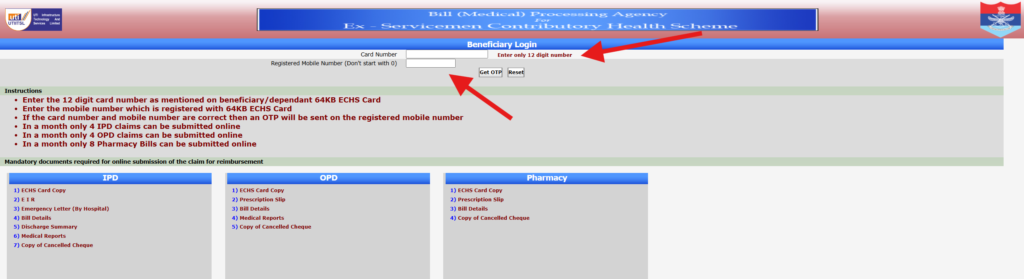
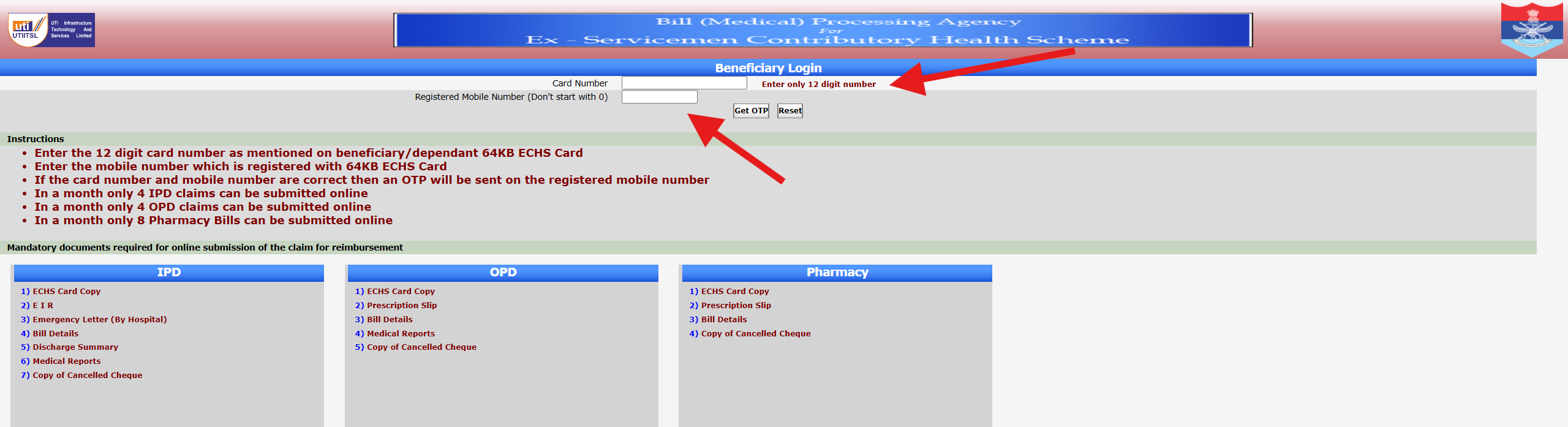
This guide explains how to log in to the ECHS beneficiary portal using your 12-digit ECHS card number and registered mobile number, based on the official screen shown above.


Who Can Use the ECHS Beneficiary Login?

The following beneficiaries can access this login system:

  • Ex-servicemen registered under ECHS
  • Dependents listed on a valid ECHS card
  • Widows of ex-servicemen covered under ECHS

Your ECHS card and mobile number must be linked and active.


Step-by-Step Process to Login to ECHS Portal

Step 1: Open the Official ECHS Beneficiary Login Page

Use a desktop or laptop for best results. Ensure you are on the official ECHS portal page that shows “Beneficiary Login” at the top.


Step 2: Enter Your 12-Digit ECHS Card Number

  • Enter only the 12-digit card number
  • Do not add spaces or extra characters
  • The number must match exactly as printed on your 64KB ECHS card

📌 Important: Entering an incorrect card number will prevent OTP generation.


Step 3: Enter Registered Mobile Number

  • Enter the mobile number registered with your ECHS card
  • Do not start the number with 0
  • Ensure the mobile network is active

Step 4: Click “Get OTP”

  • If both card number and mobile number are correct, an OTP will be sent
  • OTP delivery usually takes a few seconds

If required, you may click Reset to clear entered details.


Step 5: Enter OTP and Proceed

  • Enter the OTP exactly as received
  • Submit to access your ECHS claim dashboard

Once logged in, you can submit claims or check claim status.


Important Instructions Shown on the Login Page

The portal clearly mentions the following limits:

  • Maximum 4 IPD claims per month
  • Maximum 4 OPD claims per month
  • Maximum 8 Pharmacy bills per month

Submitting beyond these limits may result in rejection.


Documents Required for Online Claim Submission

After successful login, you must upload documents based on claim type:

IPD (Hospitalisation)

  • ECHS Card Copy
  • Emergency Information Report (EIR)
  • Emergency Letter (if applicable)
  • Hospital Bills
  • Discharge Summary
  • Medical Reports
  • Cancelled Cheque Copy

OPD Claims

  • ECHS Card Copy
  • Prescription Slip
  • Bill Details
  • Medical Reports
  • Cancelled Cheque Copy

Pharmacy Claims

  • ECHS Card Copy
  • Prescription Slip
  • Bill Details
  • Cancelled Cheque Copy

Ensure documents are clear, readable, and complete.


Common Login Problems & Solutions

OTP Not Received

  • Check network coverage
  • Wait 1–2 minutes and retry
  • Ensure mobile number is correctly registered with ECHS

Invalid Card Number Error

  • Recheck the 12-digit number
  • Avoid copy-paste errors
  • Confirm card validity with your parent polyclinic

Portal Not Loading

  • Try a different browser
  • Clear cache
  • Access during non-peak hours

Security Tips for Beneficiaries

  • Never share OTP with anyone
  • Log out after use
  • Avoid public computers for login
  • Keep mobile number updated at ECHS polyclinic

Frequently Asked Questions (FAQs)

Is password required for ECHS beneficiary login?

No. Login is done using OTP only.

Can dependents log in using their card number?

Yes, if their mobile number is registered with ECHS.

What if my mobile number is not updated?

You must visit your parent ECHS polyclinic to update it.

Is the portal available 24×7?

Mostly yes, but temporary downtime may occur due to maintenance.


Conclusion

The ECHS Beneficiary Login portal is designed to make medical claim submission and tracking easier for ex-servicemen and their families. By correctly entering the 12-digit ECHS card number and registered mobile number, beneficiaries can securely access online services using OTP-based login.

Disclaimer:
This article is for informational purposes only. The website is not affiliated with ECHS, the Ministry of Defence, or the Government of India. Always verify details from official ECHS sources.