ECHS Claim Rejected Due to Missing Documents? Complete Checklist (2026 Guide + PDF)

One of the most common reasons for ECHS claim rejection is missing or incomplete documents. Even a small mistake—such as an unreadable bill or a missing prescription—can lead to your reimbursement being delayed or rejected.

If your ECHS claim was rejected due to missing documents, don’t worry. In most cases, the claim can be corrected and resubmitted.

This 2026 updated guide explains:

  • Why ECHS claims get rejected for missing documents
  • A complete document checklist for OPD, IPD & Pharmacy claims
  • How to fix and resubmit a rejected claim
  • Tips to avoid rejection in the future

✅ Why ECHS Claims Are Rejected Due to Missing Documents

ECHS follows strict audit and CGHS-based guidelines. If any mandatory document is missing, unclear, or invalid, the Bill Processing Agency (BPA) cannot process the claim.

Common document-related issues include:

  • Missing discharge summary
  • Prescription not uploaded
  • Cancelled cheque missing
  • Bills without stamp or GST number
  • Wrong document uploaded under wrong category

📋 Complete ECHS Claim Document Checklist (2026)

Use this checklist before submitting or resubmitting your claim.


🏥 IPD Claim (Hospital Admission) – Mandatory Documents

You must upload ALL of the following:

✔ Copy of ECHS Smart Card
Discharge Summary (signed & stamped)
Emergency Certificate (if hospital was non-empanelled)
Original Hospital Bills (itemized)
Payment Receipts
Doctor’s Prescription
Investigation / Lab Reports
Operation Notes (if surgery done)
Copy of Cancelled Cheque (beneficiary account)

📌 Missing even one document can result in rejection.


💊 OPD Claim – Mandatory Documents

✔ ECHS Card copy
✔ Doctor’s prescription
✔ OPD consultation bill
✔ Investigation bills (if any)
✔ Cancelled cheque copy

📌 OPD claims submitted without prescription are automatically rejected.


🏪 Pharmacy / Medicine Bill Claim – Mandatory Documents

✔ ECHS Card copy
✔ Doctor’s prescription
Medicine bills with GST number
✔ Pharmacy stamp & signature
✔ Cancelled cheque

📌 Handwritten bills or bills without GST are not accepted.


🚫 Common Missing Document Mistakes That Cause Rejection

❌ Prescription uploaded but not signed
❌ Cancelled cheque not matching beneficiary name
❌ Discharge summary without diagnosis
❌ Bills uploaded as blurred images
❌ Wrong document uploaded under wrong section
❌ Missing emergency justification for private hospital treatment


🔄 What To Do If Your ECHS Claim Is Rejected for Missing Documents

✅ Step 1: Check Rejection Remarks

Login to the ECHS portal and read the exact rejection reason.

✅ Step 2: Arrange Missing Documents

Collect the required document(s) from:

  • Hospital
  • Pharmacy
  • Bank (for cancelled cheque)

✅ Step 3: Resubmit Claim (If Returned)

If status is “Returned”, upload documents and resubmit online.

❌ If Status Is “Rejected”

  • Contact your ECHS Polyclinic
  • Submit clarification or appeal (if allowed)

📥 ECHS Claim Missing Documents Checklist (PDF)

📌 Recommended:
Create a printable PDF checklist from this article so users can:

  • Tick documents before submission
  • Avoid repeat rejections
  • Keep records safely

This type of PDF improves:

  • User engagement
  • AdSense session duration
  • Repeat visits

🛡️ Tips to Avoid Document-Related Rejection in Future

✔ Scan documents clearly (PDF preferred)
✔ Keep file size within portal limits
✔ Upload documents in correct category
✔ Match beneficiary name on cheque
✔ Submit claims as early as possible
✔ Keep copies for at least 1 year


❓ FAQs – Missing Documents & ECHS Claims

Q. Can I resubmit a rejected ECHS claim?

Yes, if the claim is returned due to missing documents. Final rejections depend on case review.

Q. Is cancelled cheque mandatory?

Yes, for all reimbursement claims.

Q. Are handwritten medical bills accepted?

No. Bills must be computer-generated with GST details.

Q. What happens if discharge summary is missing?

IPD claims without discharge summary are rejected.


✅ Final Words

Most ECHS claim rejections due to missing documents are preventable. Using this complete checklist, you can submit error-free claims and avoid unnecessary delays.

📌 Bookmark this page
📌 Download the checklist
📌 Always verify before submission

ECHS Smart Card Login (2026): How It Works, Issues & Solutions

The ECHS Smart Card is the backbone of online access. This article explains how Smart Card login works in 2026.


What Is ECHS Smart Card Login?

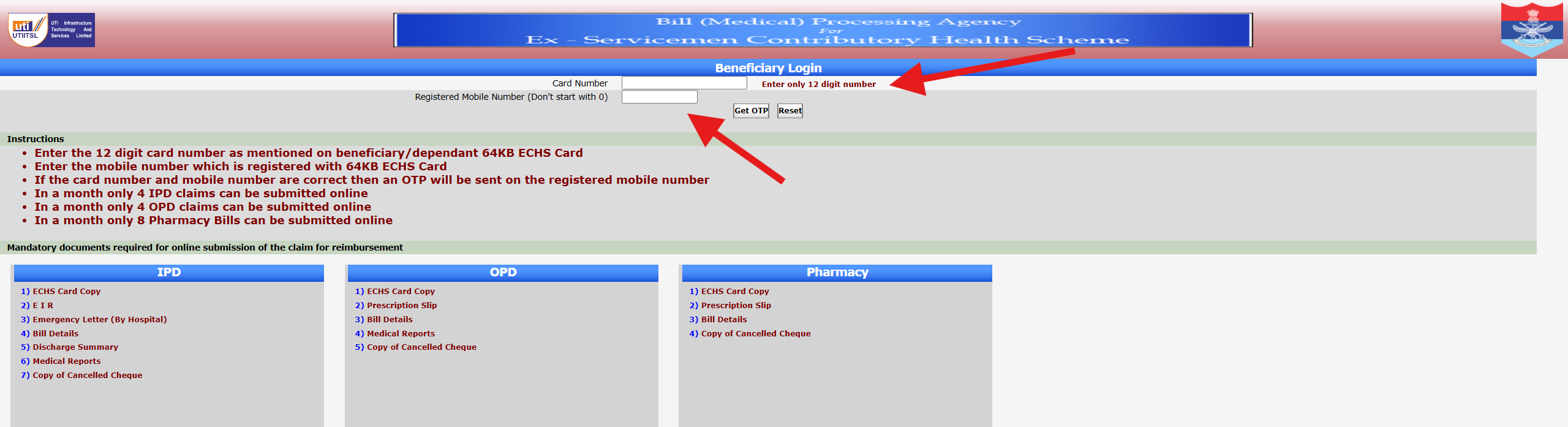
Smart Card login verifies beneficiaries digitally using:

  • Card number
  • Registered mobile OTP
  • Linked beneficiary details

How to Login Using Smart Card

  1. Open ECHS portal
  2. Select Smart Card login
  3. Enter card number
  4. Verify OTP
  5. Access dashboard

Common Smart Card Login Issues

  • Card not activated
  • Mobile number outdated
  • Card details not synced
  • Server error

How to Fix Smart Card Login Issues

  • Update mobile number at polyclinic
  • Carry original card for correction
  • Avoid public Wi-Fi
  • Login during off-peak hours

Conclusion

ECHS Smart Card login simplifies healthcare access. Keeping your card details updated is the key to smooth usage.

ECHS Smart Card Login – How to Access, Common Issues & Solutions (2025)

The ECHS Smart Card Login is an essential step for Ex-Servicemen and their dependents to access medical services, claim reimbursements, and verify beneficiary details under the Ex-Servicemen Contributory Health Scheme (ECHS).

Many users face confusion while logging in for the first time or when checking claim-related details. This guide explains how ECHS Smart Card login works, what details are required, and how to fix common problems.

⚠️ Disclaimer: This website is not the official ECHS portal. It is an informational guide created to help beneficiaries understand ECHS processes. For official services, always visit https://www.echs.gov.in.


What Is an ECHS Smart Card?

The ECHS Smart Card is issued to eligible Ex-Servicemen and their dependents after successful registration under ECHS. It contains:

  • A unique card number
  • Beneficiary and dependent details
  • Linked polyclinic information
  • Eligibility for cashless treatment and reimbursement

The smart card is required for:

  • OPD/IPD treatment
  • Medicine bill claims
  • Hospital referrals
  • Online claim tracking

Is There a Separate “ECHS Smart Card Login”?

Many users search for “ECHS smart card login”, but it’s important to understand this clearly:

👉 There is no separate login portal only for smart cards.
👉 The Smart Card number is used as an identifier during:

  • Beneficiary login
  • Claim submission
  • Claim status checking
  • Hospital verification

Official ECHS Login Portal

All smart card–related online services are accessed through the ECHS Beneficiary Login portal:

🔗 Official Website: https://www.echs.gov.in

From here, beneficiaries can:

  • Log in using card details
  • Check claim status
  • View registered dependents
  • Access referral-related information

How to Use ECHS Smart Card for Login (Step-by-Step)

Step 1: Visit the Official ECHS Website

Go to echs.gov.in and navigate to the Beneficiary Login section.

Step 2: Enter Smart Card Details

You may be asked to enter:

  • ECHS Card Number (12 digits)
  • Registered mobile number
  • OTP (sent to registered mobile)

Step 3: Verify OTP

Enter the OTP correctly to proceed.

Step 4: Access Dashboard

Once verified, you can:

  • Check claim status
  • View referral details
  • Track medicine bill submissions

Common ECHS Smart Card Login Problems & Fixes

1. Smart Card Number Not Recognized

✔️ Ensure all 12 digits are entered correctly
✔️ Avoid spaces or special characters


2. OTP Not Received

✔️ Check if your mobile number is registered with ECHS
✔️ Network delays are common—retry after a few minutes


3. Mobile Number Changed

If your registered mobile number is no longer active:

  • Visit your parent ECHS polyclinic
  • Submit a request to update mobile details

4. Website Not Loading

✔️ Try accessing the site during non-peak hours
✔️ Clear browser cache or use a different browser


5. “No Record Found” Error

This usually happens when:

  • Smart card is newly issued
  • Details are not synced yet
  • Data mismatch exists

👉 Contact your ECHS Polyclinic for verification.


Difference Between ECHS Smart Card Login & Hospital Login

FeatureSmart Card / Beneficiary LoginHospital Login
Used byEx-Servicemen & DependentsEmpanelled Hospitals
PurposeClaims, referrals, statusBill uploads, approvals
AccessVia echs.gov.inSeparate hospital portal

👉 If you are a hospital user, read our detailed guide on ECHS Hospital Login.


Important Tips for Smooth Login

  • Always keep your smart card number handy
  • Ensure your mobile number is active
  • Avoid third-party or fake ECHS websites
  • Never share OTP or card details with anyone

Frequently Asked Questions (FAQs)

Can I log in using only my smart card?

No. The smart card works along with OTP-based mobile verification.


Is ECHS Smart Card login available 24/7?

The portal is online, but maintenance or server issues may occur.


Can dependents use the same smart card login?

Yes. Dependents are linked to the primary beneficiary’s smart card.


Internal Links You Should Add (Very Important for SEO)

Inside this article, link to:

This builds topical authority and improves rankings.


Final Words

The ECHS Smart Card is the backbone of all online and offline ECHS services. While there is no separate “smart card login,” understanding how it integrates with the beneficiary portal helps avoid confusion and delays.

If you face persistent login issues, always contact your ECHS Polyclinic for official assistance.

ECHS Claim Status – Check Mediclaim Reimbursement Online (Step-by-Step Guide 2025)

Last Updated: 2025
Official Scheme: Ex-Servicemen Contributory Health Scheme (ECHS)


📌 What Is ECHS Claim Status?

ECHS Claim Status allows Ex-Servicemen and their dependents to track the current progress of their medical reimbursement claims submitted under the Ex-Servicemen Contributory Health Scheme (ECHS).

Using the official ECHS online portal, beneficiaries can check whether their claim is:

  • Submitted
  • Under process
  • Approved
  • Paid
  • Returned for clarification

This facility helps avoid repeated visits to ECHS Polyclinics and Regional Centres.


🔐 Who Can Check ECHS Claim Status?

You can check ECHS claim status if you are:

  • An Ex-Serviceman pensioner
  • A family pensioner
  • A dependent registered under ECHS
  • A beneficiary with a valid 64KB ECHS Smart Card

👉 If you face login issues, read:
ECHS Login Not Working? Common Fixes


🌐 Official Portal to Check ECHS Claim Status

You can check your claim status only through the official ECHS portal operated by authorized agencies.

⚠️ Always use the official website. Avoid third-party or unofficial portals.


🧾 Details Required to Check Claim Status

Keep the following details ready:

  • ECHS Card Number
  • Claim ID (if available)
  • Registered Mobile Number
  • CAPTCHA (as shown on screen)

🪜 Step-by-Step: How to Check ECHS Claim Status Online

Step 1: Visit the Official ECHS Portal

Open the official ECHS website in your browser.

Step 2: Navigate to “Claim Status”

Click on Beneficiary Claim Status / Claim Tracking option.

Step 3: Enter Required Details

Fill in your:

  • ECHS Card Number or Claim ID
  • Registered mobile number
  • Captcha code

Step 4: Submit the Form

Click on Submit / Search.

Step 5: View Claim Status

Your current claim status will appear on the screen.

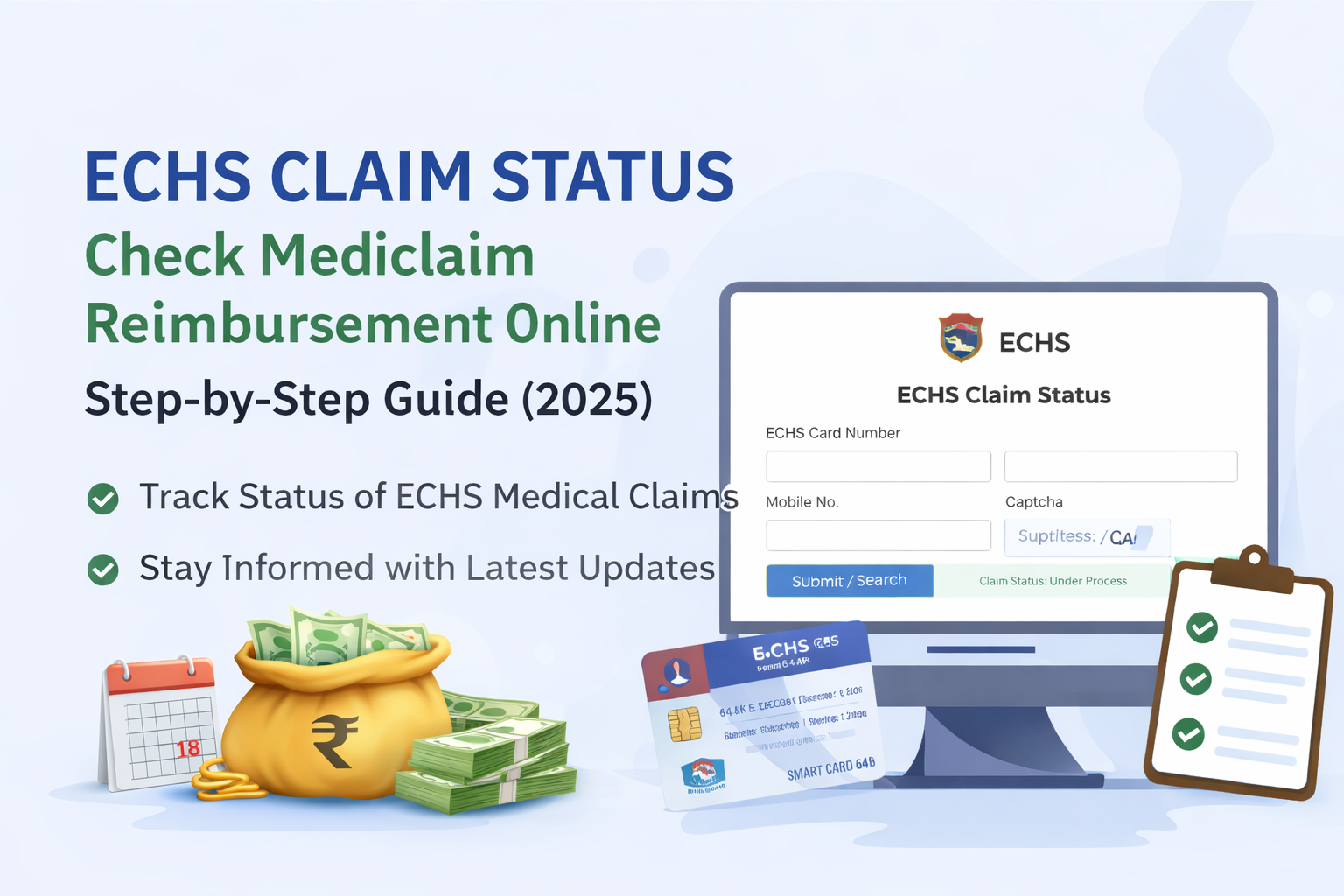
📸 [Insert screenshot of ECHS claim status page here]


📊 Understanding ECHS Claim Status Messages

Status ShownMeaning
SubmittedClaim received successfully
Under ProcessDocuments are being verified
ApprovedClaim approved for payment
PaidAmount credited to bank
ReturnedAdditional documents required
RejectedClaim not admissible

⏳ How Long Does ECHS Reimbursement Take?

Normally:

  • 30–45 days for empanelled hospitals
  • 45–60 days for non-empanelled hospital claims

Delays may occur due to:

  • Missing documents
  • Incorrect bank details
  • Incomplete referral forms

❌ Common Reasons for ECHS Claim Delay or Rejection

  • Missing referral letter
  • No Emergency Certificate (for emergency cases)
  • Mismatch in bank details
  • Bills not as per CGHS rates
  • Incomplete discharge summary

👉 Read in detail:
ECHS Reimbursement Rejection Reasons & How to Avoid Them


🛠 What To Do If ECHS Claim Is Stuck?

If your claim is pending for a long time:

  1. Contact your ECHS Polyclinic
  2. Check with Regional Centre ECHS
  3. Ensure all documents were submitted correctly
  4. Keep your Claim ID handy

📞 Refer to:
ECHS Polyclinics List with Contact Details


🔁 Can You Track Medicine Bill Claim Status Separately?

Yes. OPD medicine reimbursement claims can also be tracked using the same process.

However, timelines may differ slightly depending on:

  • Type of claim (IPD / OPD)
  • City & Regional Centre

🧠 Important Tips for Faster ECHS Claim Processing

  • Submit claims within 1 month of discharge
  • Attach all original bills
  • Ensure referral validity
  • Use correct bank IFSC
  • Avoid overwriting on forms

❓ Frequently Asked Questions (FAQ)

Q1. Can I check ECHS claim status using mobile?

Yes, the portal works on mobile browsers.

Q2. What if I forgot my Claim ID?

You can still check using your ECHS Card Number.

Q3. Is SMS sent after claim approval?

In many cases, yes—on the registered mobile number.

Q4. Can hospitals check claim status?

Yes, empanelled hospitals can track claims submitted by them.


🔗 Helpful Related Articles (Internal Links)


⚠️ Disclaimer

This article is for informational purposes only. For official updates, rules, and claim decisions, always refer to the ECHS official website or your Regional Centre.