Documents Most Hospitals Ask For Before Cashless Treatment

Cashless treatment sounds simple — show your card and get treated.
In reality, most delays and rejections happen because documents are missing or incorrect.

Whether you’re using ECHS, Ayushman Bharat, CGHS, or any government/insurance scheme, hospitals follow a strict verification process before approving cashless treatment.

This article explains exactly which documents hospitals usually ask for, why they matter, and how to prepare in advance.


Why Hospitals Ask for Documents Before Cashless Treatment

Hospitals don’t get paid immediately in cashless cases.
They are reimbursed later by the government or insurance authority.

So before approving treatment, hospitals must confirm:

  • You are eligible
  • The scheme is valid
  • The treatment is covered
  • Documents can stand audit checks

Even one missing document can delay or stop approval.


1️⃣ Identity Proof (Mandatory)

Almost every hospital asks for government-issued ID.

Commonly accepted IDs:

  • Aadhaar Card
  • PAN Card
  • Voter ID
  • Defence ID (for ECHS beneficiaries)

📌 Tip:
Carry original + 1–2 photocopies. Some hospitals keep copies in records.


2️⃣ Health Scheme Card / Smart Card

This is the most critical document.

Examples:

  • ECHS Smart Card
  • Ayushman Bharat (PM-JAY) Card
  • CGHS Card
  • State Health Scheme Card

Hospitals verify:

  • Card validity
  • Beneficiary name
  • Dependency status
  • Scheme category (ward entitlement, limits)

⚠️ Expired, blocked, or inactive cards can stop cashless approval.


3️⃣ Referral Letter (Very Important for Government Schemes)

Many people miss this step.

Schemes like ECHS and CGHS often require:

  • First visit to polyclinic / primary center
  • Referral letter for hospitalisation or specialist treatment

Without referral:

  • Cashless request may be rejected
  • Treatment may shift to reimbursement mode

📌 Always ask the hospital before admission if referral is required.


4️⃣ Doctor’s Prescription / Admission Advice

Hospitals need proof that:

  • Admission is medically required
  • Treatment is not elective or unnecessary

Usually includes:

  • Diagnosis
  • Reason for admission
  • Expected treatment or surgery

This document is uploaded during pre-authorization.


5️⃣ Pre-Authorization Form (Hospital Handles, But You Must Sign)

For cashless treatment:

  • Hospital submits a pre-auth request online
  • Patient or attendant signs consent forms

You may be asked to provide:

  • Signature
  • Mobile number (OTP verification in some schemes)

📌 Delays often happen if the patient is unavailable to sign.


6️⃣ Dependent Proof (If Applicable)

If treatment is for:

  • Spouse
  • Parents
  • Children

Hospitals may ask:

  • Relationship proof
  • Dependency declaration
  • Updated dependent details in the system

For ECHS especially:

  • Dependents must be registered and active
  • Income limits may apply for parents

7️⃣ Recent Photographs (Sometimes Required)

Some hospitals still ask for:

  • Passport-size photos
  • Especially for new registrations or emergency cases

Not always mandatory, but useful to keep.


8️⃣ Previous Medical Records (Recommended)

Not mandatory, but strongly advised:

  • Old prescriptions
  • Test reports
  • Discharge summaries (if repeat admission)

These help:

  • Faster approval
  • Better treatment justification
  • Avoid claim disputes later

9️⃣ Mobile Number Linked to Scheme

Many schemes now use:

  • OTP verification
  • SMS alerts for approval status

Make sure:

  • Registered mobile number is active
  • Phone is with patient or attendant

10️⃣ Emergency Cases – What Changes?

In emergencies:

  • Treatment may start immediately
  • Documents are collected within 24–48 hours

⚠️ If documents are not submitted later:

  • Cashless approval can be cancelled
  • Hospital may ask for payment

Common Reasons Cashless Requests Get Rejected

Based on real cases, top reasons include:

  • No referral letter
  • Card not active or blocked
  • Treatment not covered under scheme
  • Wrong hospital (not empanelled)
  • Dependent not eligible

Simple Checklist (Save This)

Before going to hospital, carry:
✔ ID proof
✔ Health scheme card
✔ Referral letter (if required)
✔ Doctor’s prescription
✔ Dependent documents
✔ Registered mobile phone


Final Advice

Cashless treatment works smoothly only when paperwork is ready.
Most problems happen not because of hospitals — but because beneficiaries are unaware of requirements.

Preparing documents in advance can:

  • Save time
  • Reduce stress
  • Prevent last-minute payments

MCO Quota Train Booking for Defence Personnel (2026 Complete Guide)

Indian defence personnel and ex-servicemen are entitled to several special travel benefits, one of the most important being the MCO (Military/Central Organisation) Quota in Indian Railways.

Many defence families are not aware of how this quota works, who is eligible, and how to book tickets correctly. This guide explains everything about MCO quota train booking in 2026, in simple language.


What Is MCO Quota in Indian Railways?

MCO Quota stands for Military / Central Organisation Quota.

It is a reserved quota in trains meant for:

  • Serving defence personnel
  • Ex-servicemen
  • Defence dependents (in specific cases)

This quota ensures priority railway travel, especially during emergencies, leave travel, transfers, or medical reasons.


Who Is Eligible for MCO Quota Booking?

✅ Eligible Categories

MCO quota can be used by:

  • Serving personnel of:
    • Indian Army
    • Indian Navy
    • Indian Air Force
  • Defence civilians (as notified)
  • Ex-servicemen (limited cases)
  • Dependents traveling with serving personnel
  • War widows / NOKs (in approved situations)

⚠️ Note: Eligibility rules may vary based on purpose of travel and railway zone.


When Can MCO Quota Be Used?

MCO quota is generally approved for:

  • Duty travel
  • Leave travel
  • Medical travel
  • Compassionate grounds
  • Posting / transfer movement

It is not meant for leisure travel.


How to Book Train Ticket Under MCO Quota (2026)

Step 1: Visit Railway Reservation Counter

MCO quota tickets cannot be booked online via IRCTC.

You must visit:

  • A Railway Reservation Counter
  • Carry all required documents

Step 2: Fill Reservation Form

  • Select MCO Quota on the form
  • Mention service details clearly
  • Attach supporting documents

Step 3: Submit Defence Documents

Required documents usually include:

  • Service ID card / Discharge Book
  • Authority letter / movement order (if applicable)
  • Medical referral documents (for medical travel)

Step 4: Ticket Approval & Issue

  • Railway staff verifies documents
  • Ticket is issued if quota seats are available
  • Concession (if applicable) is applied

Documents Required for MCO Quota Booking

Depending on category, you may need:

  • Defence Identity Card
  • Leave Certificate / Movement Order
  • Medical referral (ECHS / Service Hospital)
  • Ex-serviceman identity proof
  • Authority letter from unit / department

📌 Always carry original documents.


Is There Any Fare Concession Under MCO Quota?

Yes, in some cases.

  • Serving personnel may receive rail fare concessions
  • Medical travel may allow additional benefits
  • Ex-servicemen concessions depend on current railway rules

However, MCO quota itself is about seat availability, not automatic discounts.


Difference Between MCO Quota and Defence Concession

FeatureMCO QuotaDefence Fare Concession
Seat Priority✅ Yes❌ No
Online Booking❌ No❌ No
PurposeOfficial / medicalPersonal
Fare DiscountSometimesLimited
Emergency Travel✅ Yes❌ No

MCO Quota for Medical Travel (ECHS Link)

This is where ECHS readers benefit the most.

If a defence beneficiary is:

  • Referred by ECHS Polyclinic
  • Traveling for treatment to an empanelled hospital

MCO quota helps in:

  • Faster ticket confirmation
  • Travel during peak seasons
  • Emergency medical movement

Many ECHS patients use MCO quota for:

  • Cancer treatment travel
  • Cardiac procedures
  • Long-term specialist consultations

Common Reasons for MCO Quota Rejection

  • Missing authority letter
  • Incorrect service details
  • Leisure travel attempt
  • Non-availability of MCO seats
  • Incomplete documents

Always verify with the railway counter beforehand.


Frequently Asked Questions (FAQs)

Can ex-servicemen book tickets under MCO quota?

In limited cases, yes — especially for medical or compassionate travel.

Can MCO quota tickets be booked online?

No. MCO quota is offline only.

Can dependents travel alone under MCO quota?

Usually no, unless approved under special circumstances.

Is MCO quota available in all trains?

No. Availability depends on:

  • Train type
  • Railway zone
  • Seat allocation

Why This Matters for Defence & ECHS Beneficiaries

Defence families often travel for:

  • Medical treatment
  • Pension-related work
  • Family emergencies

Understanding MCO quota helps:

  • Reduce travel stress
  • Ensure timely treatment
  • Avoid last-minute ticket issues

Final Thoughts

MCO quota is a valuable but underused benefit for defence personnel and ex-servicemen. While it does not replace general booking systems, it plays a crucial role during medical emergencies and official travel.

For ECHS beneficiaries, MCO quota can be a lifesaver when traveling for treatment.

What Benefits Do War Widows Get in India? (Complete Guide)

War widows, also known as Veer Naris, receive special recognition and support from the Government of India.


1. Family Pension & Liberalised Pension

  • Enhanced pension benefits
  • Additional allowances
  • Lifetime financial security

2. Healthcare Benefits (ECHS)

  • Full ECHS membership
  • Cashless treatment
  • No contribution required in many cases

👉 Internal link: ECHS eligibility


3. Education Benefits for Children

  • Scholarships
  • Fee concessions
  • Priority admissions

4. Housing & Welfare Support

  • Priority in AWHO housing
  • State government assistance
  • Zila Sainik Board support

5. Employment & Skill Support

  • Reserved government jobs
  • Skill development programs

Conclusion

War widows are supported not just financially, but with dignity, healthcare, housing, and education benefits, ensuring a secure future.

Free Health Schemes for Ex-Servicemen in India (2026 Updated Guide)

Healthcare expenses are one of the biggest concerns for retired defence personnel and their families. After years of service to the nation, ex-servicemen in India are entitled to multiple free or subsidised health schemes, many of which are still unknown or underutilised.

This 2026 updated guide explains all major free health schemes available to ex-servicemen, eligibility criteria, and how to use them effectively.


🇮🇳 Why Special Health Schemes Exist for Ex-Servicemen

Ex-servicemen often:

  • Retire at an early age
  • Face long-term medical conditions
  • Have dependent family members
  • Require frequent medical care

To support them, the Government of India has introduced dedicated healthcare schemes, the most important being ECHS, along with other central and state-level benefits.


🏥 1️⃣ Ex-Servicemen Contributory Health Scheme (ECHS)

⭐ Primary & Most Important Scheme

ECHS provides comprehensive medical care to ex-servicemen and their dependents through:

  • ECHS polyclinics
  • Empanelled private hospitals
  • Government hospitals

Key Benefits:

✔ Free OPD consultation
✔ Free medicines
✔ Cashless hospitalisation
✔ Medical reimbursement
✔ Coverage for chronic diseases
✔ Emergency treatment support

👥 Who Is Eligible?

  • Ex-servicemen
  • Widows
  • Dependents listed on ECHS smart card

📌 ECHS is the backbone of medical support for veterans.

👉 Related reading:
ECHS Login – Official Portal & Steps
How to Get Medicines from ECHS Polyclinic


🏥 2️⃣ Central Government Health Scheme (CGHS) – Limited Cases

In certain situations, CGHS facilities may be used by defence pensioners, especially:

  • In cities where ECHS services are limited
  • For referrals and specialised treatments

📌 CGHS rates are often used as a benchmark for ECHS reimbursement calculations.


🚑 3️⃣ Armed Forces Medical Services (AFMS) Support

Some ex-servicemen can access:

  • Military hospitals
  • Service hospitals
  • Base hospitals

This usually applies to:

  • Specific regions
  • Emergency situations
  • Referred cases

Availability depends on local station policy.


🏥 4️⃣ State Government Health Schemes (Additional Support)

Many Indian states offer free or subsidised healthcare schemes that ex-servicemen can also use.

Examples include:

  • Ayushman Bharat (PM-JAY)
  • State-specific senior citizen schemes
  • Free diagnostic & medicine schemes

📌 These schemes can be used alongside ECHS, not as replacements.


💊 5️⃣ Free Medicine Schemes for Ex-Servicemen

Apart from ECHS pharmacies, ex-servicemen can benefit from:

  • State free medicine programmes
  • Government generic medicine stores
  • Hospital-based dispensaries

⚠️ Important:
For ECHS reimbursement, medicines must be:

  • Prescribed by ECHS doctor
  • Supported with NA Certificate (if bought outside)

🧾 6️⃣ Medical Reimbursement Facilities

If free treatment is not available:

  • Emergency treatment at private hospitals is allowed
  • Reimbursement can be claimed under ECHS rules

This is especially useful when:

  • Polyclinic medicines are unavailable
  • Emergency admission is required
  • Non-empanelled hospitals are used

👉 Helpful guide:
ECHS Claim Rejected? Reasons & Fixes


👵 7️⃣ Health Benefits for Widows & Dependents

ECHS continues even after:

  • Death of ex-serviceman
  • Family pension approval

Widows and dependents are entitled to:
✔ OPD treatment
✔ Medicines
✔ Hospitalisation
✔ Reimbursement


📋 Comparison: Free Health Schemes at a Glance

SchemeFree TreatmentMedicinesHospitalisation
ECHS✅ Yes✅ Yes✅ Yes
CGHSLimitedLimitedLimited
State SchemesPartialPartialPartial
AFMSRegion-basedYesEmergency

❌ Common Mistakes Veterans Make

❌ Not renewing ECHS card
❌ Using private doctor prescriptions directly
❌ Missing NA certificate for medicine claims
❌ Ignoring state-level benefits
❌ Late claim submission

Avoiding these mistakes saves time, money, and stress.


❓ FAQs – Free Health Schemes for Ex-Servicemen

Is ECHS completely free?

Yes, most services are free, except for non-covered items.

Can I use ECHS and Ayushman together?

Yes, depending on eligibility and treatment situation.

Are chronic diseases covered?

Yes, including diabetes, BP, cancer, kidney & heart conditions.

Is ECHS mandatory?

Not mandatory, but strongly recommended.


✅ Final Thoughts

India offers strong healthcare support for ex-servicemen, but awareness is key. By combining ECHS, government schemes, and smart planning, veterans can reduce medical expenses significantly.

📌 Bookmark this guide
📌 Share with fellow veterans
📌 Use official channels for verification

ECHS Claim Rejected? Top 10 Reasons & How to Fix Them (2026 Guide)

Getting an ECHS claim rejected can be frustrating, especially when medical expenses are involved. Many Ex-Servicemen and dependents face claim rejection due to small mistakes, missing documents, or rule misunderstandings.

The good news?
👉 Most ECHS claim rejections are fixable.

In this 2026 updated guide, you’ll learn:

  • Why ECHS claims get rejected
  • The top 10 rejection reasons
  • Exact solutions for each problem
  • How to resubmit or appeal your claim correctly

✅ What Does “ECHS Claim Rejected” Mean?

When your ECHS reimbursement claim is rejected, it means the Bill Processing Agency (BPA) or ECHS authorities found an issue that violates claim rules.

Rejection can be:

  • Temporary (Returned) – documents or corrections required
  • Final (Rejected) – claim not admissible under ECHS rules

Understanding the reason is the first step to fixing it.


🔟 Top 10 Reasons for ECHS Claim Rejection & How to Fix Them


1️⃣ Missing or Incomplete Documents

Most common reason for rejection

❌ Problem:

  • Missing discharge summary
  • No prescription
  • Missing cancelled cheque
  • Incomplete bill details

✅ Solution:

  • Upload all mandatory documents:
    • ECHS Card copy
    • Original bills
    • Prescription
    • Discharge summary (for IPD)
    • Cancelled cheque
  • Ensure documents are clear, readable, and signed

2️⃣ Treatment Taken at Non-Empanelled Hospital

❌ Problem:

  • Hospital not listed under ECHS
  • Non-emergency treatment taken privately

✅ Solution:

  • Reimbursement allowed only in emergencies
  • Submit:
    • Emergency certificate from hospital
    • Doctor’s justification
  • Claim is processed at CGHS rates, not actual bill amount

3️⃣ Exceeding Monthly OPD / Medicine Limits

❌ Problem:

  • OPD or medicine bills exceed monthly allowed limit
  • Multiple OPD claims in a single month

✅ Solution:

  • Track monthly limits carefully
  • Submit claims in separate months
  • Excess amount is not reimbursed

4️⃣ Expired or Invalid ECHS Card

❌ Problem:

  • Card validity expired
  • Dependency details not updated

✅ Solution:

  • Renew ECHS card before treatment
  • Update dependent details at the polyclinic
  • Reapply after correction (if allowed)

5️⃣ Incorrect Bill Format

❌ Problem:

  • Pharmacy bill without GST number
  • Handwritten or unsigned bills
  • Missing date or patient name

✅ Solution:

  • Ensure bills contain:
    • Hospital/pharmacy stamp
    • GST number
    • Date & bill number
    • Patient name matching ECHS card

6️⃣ Claim Submitted After Time Limit

❌ Problem:

  • Claim submitted beyond permitted time window

✅ Solution:

  • Submit claims as early as possible
  • Late claims are usually rejected unless justified
  • In genuine cases, submit explanation letter

7️⃣ CGHS Rate Mismatch

❌ Problem:

  • Claimed amount higher than CGHS approved rates

✅ Solution:

  • Understand CGHS rate applicability
  • Expect partial reimbursement
  • Non-admissible items are deducted automatically

8️⃣ OPD/IPD Category Mismatch

❌ Problem:

  • IPD treatment submitted as OPD
  • Daycare wrongly classified

✅ Solution:

  • Confirm category before submission
  • Upload correct supporting documents
  • Contact polyclinic if unsure

9️⃣ Online Portal or Login Errors

❌ Problem:

  • OTP not received
  • Upload failed
  • Session timeout

✅ Solution:

  • Use Chrome or Edge browser
  • Upload files under size limit
  • Try non-peak hours
  • If failed, contact ECHS helpdesk

🔟 Duplicate or Already Claimed Bills

❌ Problem:

  • Same bill submitted twice
  • Duplicate medicine claims

✅ Solution:

  • Maintain claim history
  • Submit unique bills only
  • Duplicate claims are permanently rejected

📌 What to Do After ECHS Claim Rejection?

🔄 If Claim Is “Returned”

✔ Correct the issue
✔ Upload missing documents
✔ Resubmit online

❌ If Claim Is “Rejected”

✔ Check rejection remarks
✔ Submit appeal (if permitted)
✔ Contact polyclinic or regional centre


📝 Can You Appeal an ECHS Claim Rejection?

Yes, in genuine cases, you may appeal by submitting:

  • Appeal letter
  • Supporting documents
  • Justification for exception

Final decision rests with ECHS authorities.


🔐 How to Check ECHS Claim Status?

  • Login to ECHS beneficiary portal
  • Use claim reference number
  • Monitor status regularly

✅ Tips to Avoid ECHS Claim Rejection in Future

  • Verify hospital empanelment before treatment
  • Keep digital copies of all documents
  • Follow CGHS & ECHS rules strictly
  • Submit claims early
  • Avoid duplicate submissions

📌 Conclusion

An ECHS claim rejection does not always mean loss of reimbursement. Most claims are rejected due to minor errors that can be corrected easily.

By understanding the top 10 rejection reasons and following the right process, you can:
✔ Reduce claim rejection
✔ Speed up reimbursement
✔ Avoid unnecessary stress

ECHS Smart Card Login – How to Access, Common Issues & Solutions (2025)

The ECHS Smart Card Login is an essential step for Ex-Servicemen and their dependents to access medical services, claim reimbursements, and verify beneficiary details under the Ex-Servicemen Contributory Health Scheme (ECHS).

Many users face confusion while logging in for the first time or when checking claim-related details. This guide explains how ECHS Smart Card login works, what details are required, and how to fix common problems.

⚠️ Disclaimer: This website is not the official ECHS portal. It is an informational guide created to help beneficiaries understand ECHS processes. For official services, always visit https://www.echs.gov.in.


What Is an ECHS Smart Card?

The ECHS Smart Card is issued to eligible Ex-Servicemen and their dependents after successful registration under ECHS. It contains:

  • A unique card number
  • Beneficiary and dependent details
  • Linked polyclinic information
  • Eligibility for cashless treatment and reimbursement

The smart card is required for:

  • OPD/IPD treatment
  • Medicine bill claims
  • Hospital referrals
  • Online claim tracking

Is There a Separate “ECHS Smart Card Login”?

Many users search for “ECHS smart card login”, but it’s important to understand this clearly:

👉 There is no separate login portal only for smart cards.
👉 The Smart Card number is used as an identifier during:

  • Beneficiary login
  • Claim submission
  • Claim status checking
  • Hospital verification

Official ECHS Login Portal

All smart card–related online services are accessed through the ECHS Beneficiary Login portal:

🔗 Official Website: https://www.echs.gov.in

From here, beneficiaries can:

  • Log in using card details
  • Check claim status
  • View registered dependents
  • Access referral-related information

How to Use ECHS Smart Card for Login (Step-by-Step)

Step 1: Visit the Official ECHS Website

Go to echs.gov.in and navigate to the Beneficiary Login section.

Step 2: Enter Smart Card Details

You may be asked to enter:

  • ECHS Card Number (12 digits)
  • Registered mobile number
  • OTP (sent to registered mobile)

Step 3: Verify OTP

Enter the OTP correctly to proceed.

Step 4: Access Dashboard

Once verified, you can:

  • Check claim status
  • View referral details
  • Track medicine bill submissions

Common ECHS Smart Card Login Problems & Fixes

1. Smart Card Number Not Recognized

✔️ Ensure all 12 digits are entered correctly
✔️ Avoid spaces or special characters


2. OTP Not Received

✔️ Check if your mobile number is registered with ECHS
✔️ Network delays are common—retry after a few minutes


3. Mobile Number Changed

If your registered mobile number is no longer active:

  • Visit your parent ECHS polyclinic
  • Submit a request to update mobile details

4. Website Not Loading

✔️ Try accessing the site during non-peak hours
✔️ Clear browser cache or use a different browser


5. “No Record Found” Error

This usually happens when:

  • Smart card is newly issued
  • Details are not synced yet
  • Data mismatch exists

👉 Contact your ECHS Polyclinic for verification.


Difference Between ECHS Smart Card Login & Hospital Login

FeatureSmart Card / Beneficiary LoginHospital Login
Used byEx-Servicemen & DependentsEmpanelled Hospitals
PurposeClaims, referrals, statusBill uploads, approvals
AccessVia echs.gov.inSeparate hospital portal

👉 If you are a hospital user, read our detailed guide on ECHS Hospital Login.


Important Tips for Smooth Login

  • Always keep your smart card number handy
  • Ensure your mobile number is active
  • Avoid third-party or fake ECHS websites
  • Never share OTP or card details with anyone

Frequently Asked Questions (FAQs)

Can I log in using only my smart card?

No. The smart card works along with OTP-based mobile verification.


Is ECHS Smart Card login available 24/7?

The portal is online, but maintenance or server issues may occur.


Can dependents use the same smart card login?

Yes. Dependents are linked to the primary beneficiary’s smart card.


Internal Links You Should Add (Very Important for SEO)

Inside this article, link to:

This builds topical authority and improves rankings.


Final Words

The ECHS Smart Card is the backbone of all online and offline ECHS services. While there is no separate “smart card login,” understanding how it integrates with the beneficiary portal helps avoid confusion and delays.

If you face persistent login issues, always contact your ECHS Polyclinic for official assistance.

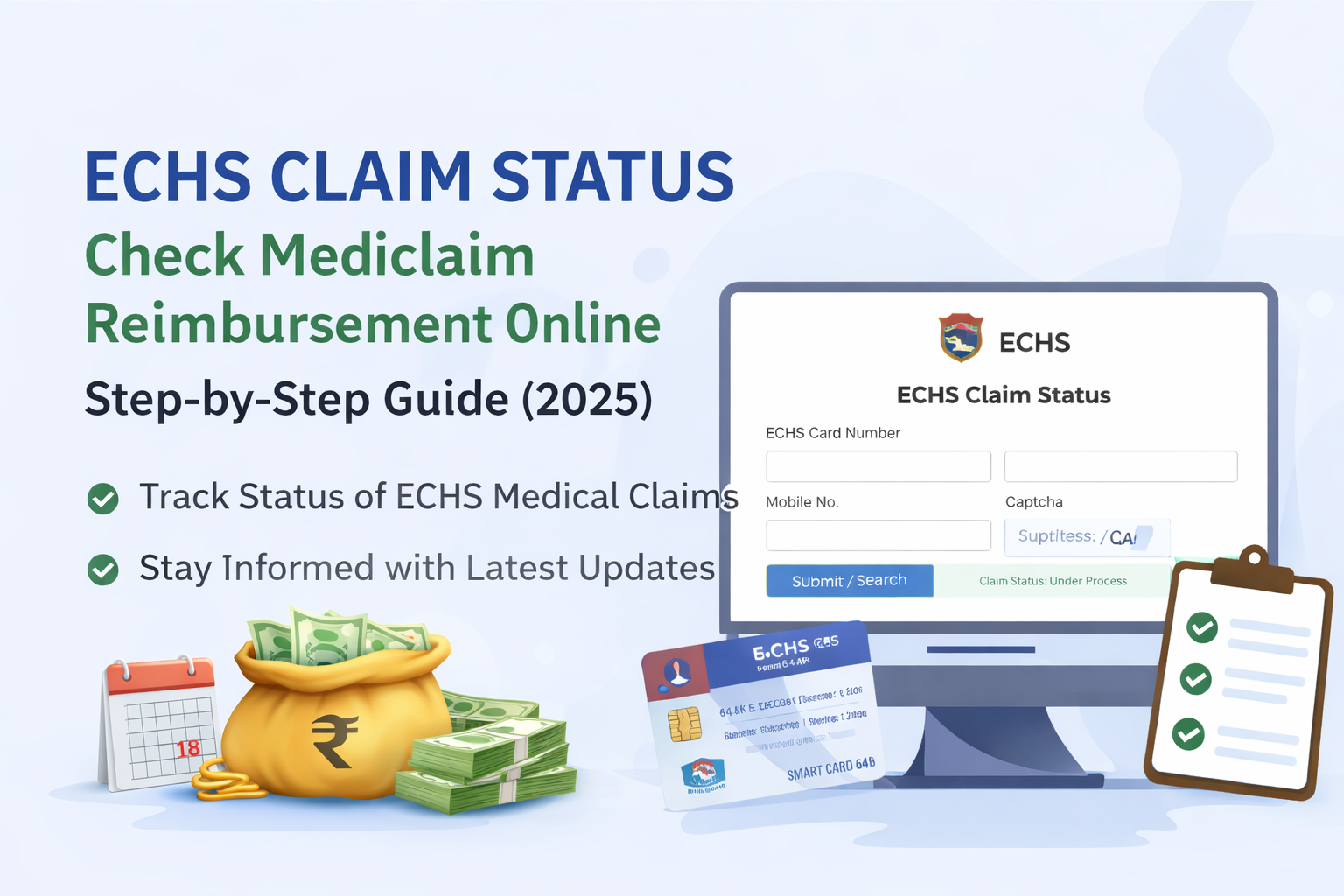
ECHS Claim Status – Check Mediclaim Reimbursement Online (Step-by-Step Guide 2025)

Last Updated: 2025
Official Scheme: Ex-Servicemen Contributory Health Scheme (ECHS)


📌 What Is ECHS Claim Status?

ECHS Claim Status allows Ex-Servicemen and their dependents to track the current progress of their medical reimbursement claims submitted under the Ex-Servicemen Contributory Health Scheme (ECHS).

Using the official ECHS online portal, beneficiaries can check whether their claim is:

  • Submitted
  • Under process
  • Approved
  • Paid
  • Returned for clarification

This facility helps avoid repeated visits to ECHS Polyclinics and Regional Centres.


🔐 Who Can Check ECHS Claim Status?

You can check ECHS claim status if you are:

  • An Ex-Serviceman pensioner
  • A family pensioner
  • A dependent registered under ECHS
  • A beneficiary with a valid 64KB ECHS Smart Card

👉 If you face login issues, read:
ECHS Login Not Working? Common Fixes


🌐 Official Portal to Check ECHS Claim Status

You can check your claim status only through the official ECHS portal operated by authorized agencies.

⚠️ Always use the official website. Avoid third-party or unofficial portals.


🧾 Details Required to Check Claim Status

Keep the following details ready:

  • ECHS Card Number
  • Claim ID (if available)
  • Registered Mobile Number
  • CAPTCHA (as shown on screen)

🪜 Step-by-Step: How to Check ECHS Claim Status Online

Step 1: Visit the Official ECHS Portal

Open the official ECHS website in your browser.

Step 2: Navigate to “Claim Status”

Click on Beneficiary Claim Status / Claim Tracking option.

Step 3: Enter Required Details

Fill in your:

  • ECHS Card Number or Claim ID
  • Registered mobile number
  • Captcha code

Step 4: Submit the Form

Click on Submit / Search.

Step 5: View Claim Status

Your current claim status will appear on the screen.

📸 [Insert screenshot of ECHS claim status page here]


📊 Understanding ECHS Claim Status Messages

Status ShownMeaning
SubmittedClaim received successfully
Under ProcessDocuments are being verified
ApprovedClaim approved for payment
PaidAmount credited to bank
ReturnedAdditional documents required
RejectedClaim not admissible

⏳ How Long Does ECHS Reimbursement Take?

Normally:

  • 30–45 days for empanelled hospitals
  • 45–60 days for non-empanelled hospital claims

Delays may occur due to:

  • Missing documents
  • Incorrect bank details
  • Incomplete referral forms

❌ Common Reasons for ECHS Claim Delay or Rejection

  • Missing referral letter
  • No Emergency Certificate (for emergency cases)
  • Mismatch in bank details
  • Bills not as per CGHS rates
  • Incomplete discharge summary

👉 Read in detail:
ECHS Reimbursement Rejection Reasons & How to Avoid Them


🛠 What To Do If ECHS Claim Is Stuck?

If your claim is pending for a long time:

  1. Contact your ECHS Polyclinic
  2. Check with Regional Centre ECHS
  3. Ensure all documents were submitted correctly
  4. Keep your Claim ID handy

📞 Refer to:
ECHS Polyclinics List with Contact Details


🔁 Can You Track Medicine Bill Claim Status Separately?

Yes. OPD medicine reimbursement claims can also be tracked using the same process.

However, timelines may differ slightly depending on:

  • Type of claim (IPD / OPD)
  • City & Regional Centre

🧠 Important Tips for Faster ECHS Claim Processing

  • Submit claims within 1 month of discharge
  • Attach all original bills
  • Ensure referral validity
  • Use correct bank IFSC
  • Avoid overwriting on forms

❓ Frequently Asked Questions (FAQ)

Q1. Can I check ECHS claim status using mobile?

Yes, the portal works on mobile browsers.

Q2. What if I forgot my Claim ID?

You can still check using your ECHS Card Number.

Q3. Is SMS sent after claim approval?

In many cases, yes—on the registered mobile number.

Q4. Can hospitals check claim status?

Yes, empanelled hospitals can track claims submitted by them.


🔗 Helpful Related Articles (Internal Links)


⚠️ Disclaimer

This article is for informational purposes only. For official updates, rules, and claim decisions, always refer to the ECHS official website or your Regional Centre.

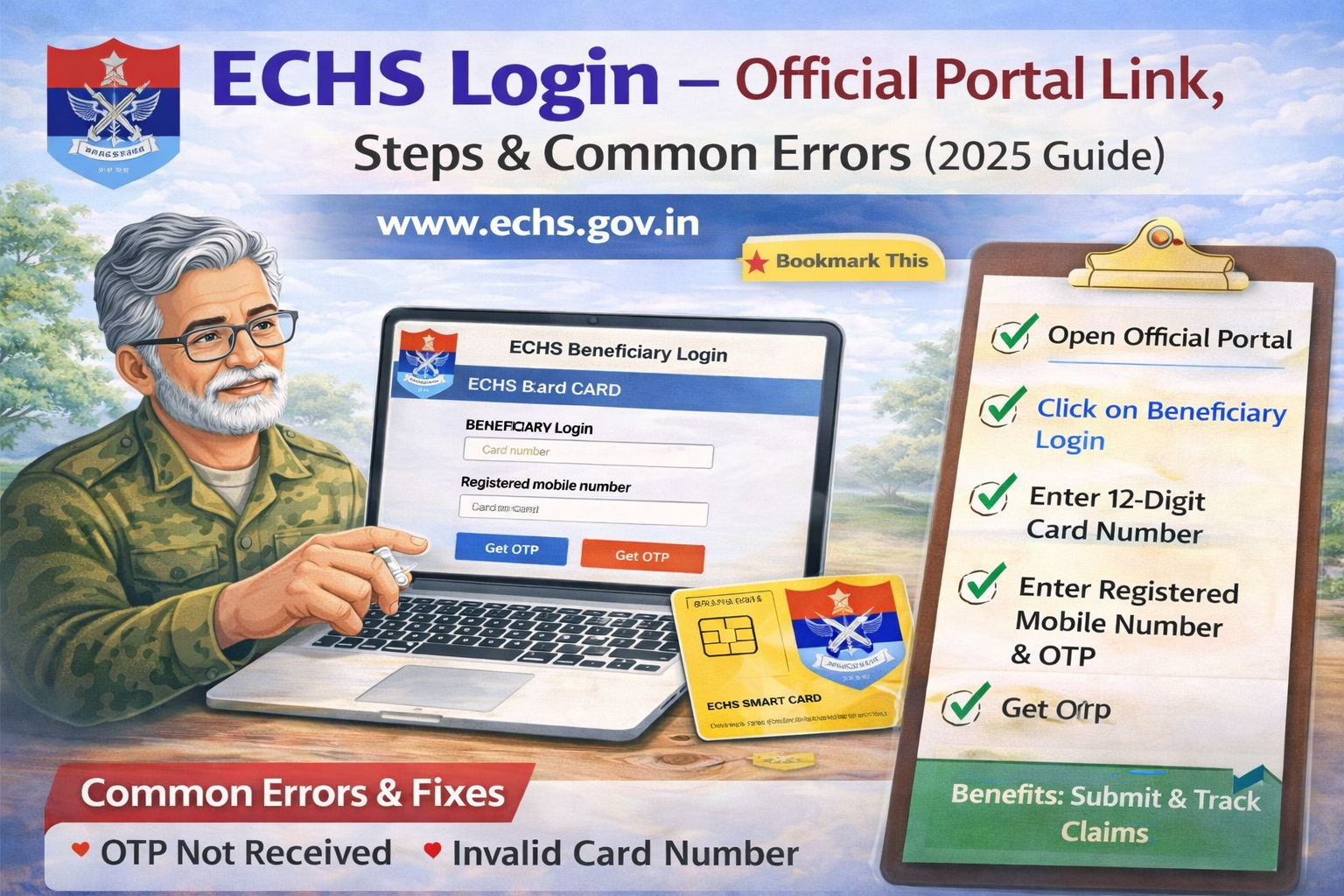
ECHS Login – Official Portal Link, Steps & Common Errors (2025 Guide)

The Ex-Servicemen Contributory Health Scheme (ECHS) provides cashless medical treatment and reimbursement facilities to ex-servicemen, their dependents, and eligible family pensioners. To access online services like medical claim submission, claim status tracking, and beneficiary details, users must log in through the official ECHS portal.

This guide explains how to log in to ECHS, provides the official portal link, and covers common login problems with easy solutions.


🔗 Official ECHS Login Portal (Verified)

Use only the official ECHS websites to avoid fraud or data theft:

⚠️ Tip: Avoid clicking login links from WhatsApp, SMS, or unknown websites. Always type the URL manually.


🧾 Who Can Use ECHS Login?

You can use the ECHS login portal if you are:

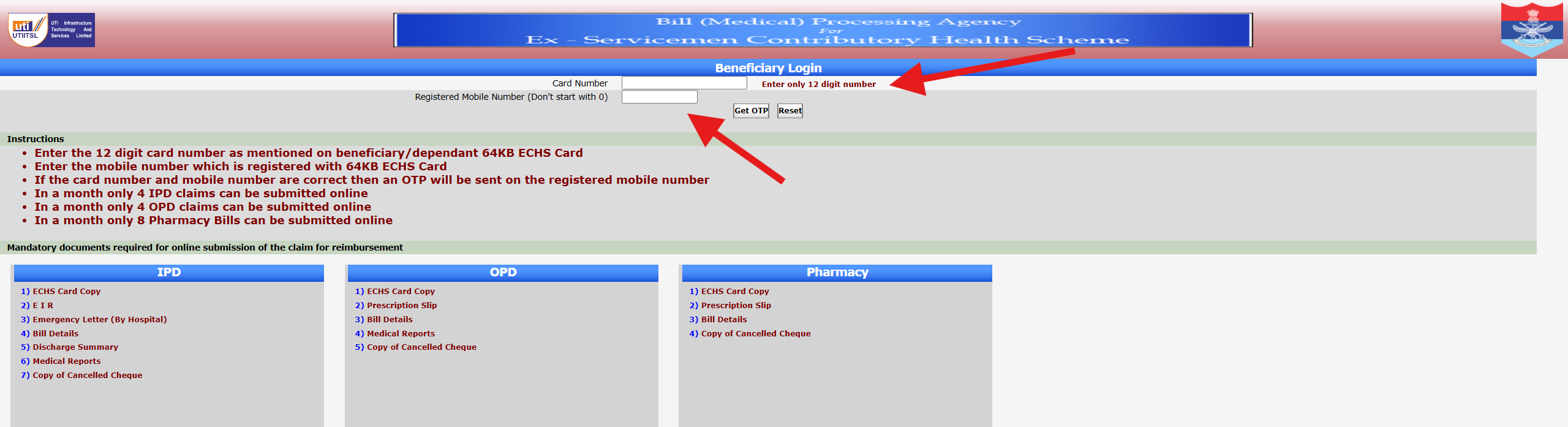
  • Ex-serviceman drawing service or disability pension
  • Family pensioner / widow
  • Registered ECHS dependent
  • Empanelled hospital or diagnostic centre (separate login)
  • ECHS administrative or medical staff

🪪 Details Required for ECHS Login

Before logging in, keep these details ready:

  • 12-digit ECHS Card Number
  • Registered mobile number (linked with ECHS)
  • OTP (sent to registered mobile)
  • Stable internet connection

✅ Step-by-Step: How to Login to ECHS Portal

Step 1: Open the Official Website

Go to 👉 https://www.echs.gov.in

Step 2: Click on “Beneficiary Login”

You will find this option on the homepage or under Online Services.

Step 3: Enter Your Card Number

  • Enter the 12-digit ECHS card number
  • Do not add spaces or special characters

Step 4: Enter Registered Mobile Number

  • Use the same mobile number registered with ECHS
  • Do not start with 0 or +91

Step 5: Get OTP

  • Click Get OTP
  • Enter the OTP received on your mobile

Step 6: Login Successfully

Once verified, you can access:

  • Claim submission
  • Claim status
  • Profile details
  • Online services

🚨 Common ECHS Login Problems & Fixes

❌ 1. OTP Not Received

Possible reasons:

  • Mobile number not updated
  • Network issue
  • Server delay

Fix:

  • Wait 2–3 minutes and retry
  • Check signal/network
  • Contact ECHS Polyclinic to update mobile number

❌ 2. Invalid Card Number Error

Reason:

  • Wrong digit entered
  • Card not activated online

Fix:

  • Recheck 12-digit number
  • Visit nearest ECHS Polyclinic for verification

❌ 3. ECHS Website Not Opening

Reason:

  • Server maintenance
  • Browser compatibility issue

Fix:

  • Try Chrome or Edge
  • Clear browser cache
  • Try again after some time

❌ 4. Login Page Loading but Not Submitting

Fixes that work:

  • Disable ad-blocker
  • Use desktop/laptop instead of mobile
  • Try incognito mode

❌ 5. “Already Registered” but Cannot Login

Reason:

  • Partial registration
  • Old mobile number linked

Fix:

  • Use Forgot Password / OTP option
  • Contact ECHS support or Polyclinic

🔐 Is ECHS Login Safe?

Yes. The ECHS portal:

  • Uses OTP-based authentication
  • Is hosted on Government of India servers
  • Does not ask for bank details during login

⚠️ Never share your OTP with anyone.


📌 Services Available After Login

Once logged in, beneficiaries can:

  • Check ECHS claim status
  • Submit medical reimbursement claims
  • View referral details
  • Access online forms & updates
  • Track bill processing (for empanelled hospitals)

🔗 Internal Articles to Link From This Page (Important)

Use these as internal links from this pillar page:

  • 👉 ECHS Login Not Working? Common Fixes
  • 👉 ECHS Forgot Password / OTP Not Received
  • 👉 ECHS Claim Status Check Online
  • 👉 ECHS Reimbursement Process Step-by-Step
  • 👉 ECHS Helpline Number for Login Issues


❓ Frequently Asked Questions (FAQs)

Q1. Can I login to ECHS without OTP?

No. OTP verification is mandatory.

Q2. Can dependents use the same login?

Yes, dependents linked to the ECHS card can access services.

Q3. Is there a mobile app for ECHS login?

Currently, ECHS services are primarily web-based.

Q4. What if my mobile number has changed?

You must update it at your ECHS Polyclinic.


📝 Final Words

The ECHS login portal is the gateway to essential healthcare and reimbursement services for ex-servicemen and their families. By using the official portal, following the correct login steps, and understanding common errors, you can avoid delays and frustration.

👉 Bookmark this page for quick access and updates.

  • Official ECHS Login Portal: Use only the verified official websites, such as https://www.echs.gov.in, to access ECHS services and avoid fraud or data theft.
  • Who Can Use ECHS Login?: Ex-servicemen with service or disability pensions, family pensioners, dependents, and healthcare staff are eligible to use the ECHS login portal.
  • Steps to Log in to ECHS: Access the portal by visiting the official website, clicking on ‘Beneficiary Login’, entering your card number and registered mobile, and then verifying via OTP.
  • Common Login Issues and Fixes: Problems like OTP not received, invalid card number, or website not opening are addressed with troubleshooting steps such as verifying details, clearing browser cache, or trying different browsers.
  • Efficacy and Security of ECHS Login: The portal ensures safety through OTP-based authentication hosted on government servers, and users should never share OTPs to maintain security.

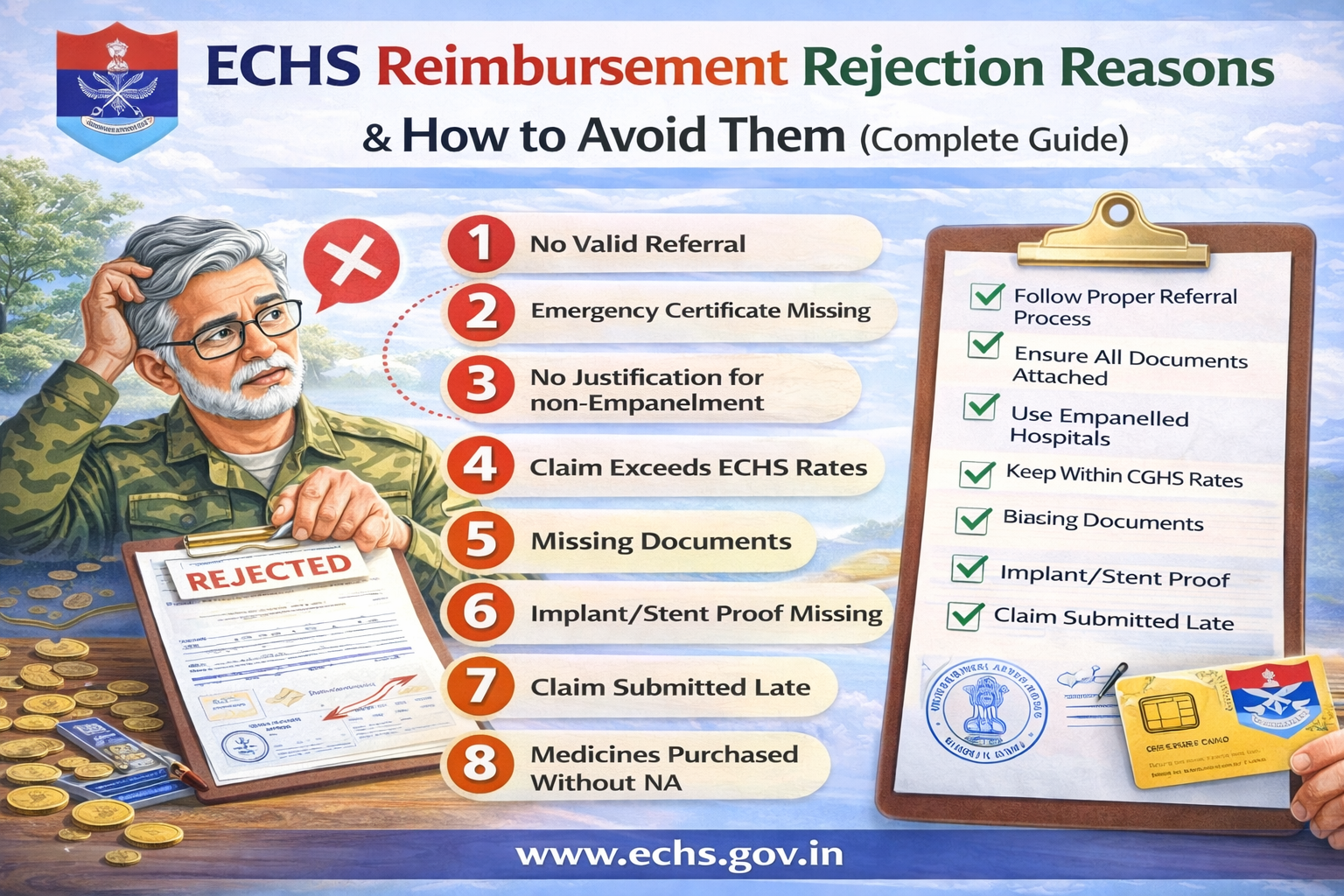
ECHS Reimbursement Rejection Reasons & How to Avoid Them (Complete Guide)

ECHS reimbursement claims are often rejected or delayed due to small procedural errors rather than medical issues. Understanding the common rejection reasons and knowing how to avoid them can save Ex-Servicemen and their families significant time, stress, and money.

This guide explains why ECHS claims get rejected and gives practical solutions to ensure smooth approval.


What Is ECHS Reimbursement?

ECHS reimbursement applies when:

  • Treatment is taken in a non-empaneled hospital (usually emergency), or
  • Payment is made by the beneficiary and later claimed, or
  • Certain medicines/tests are not available at ECHS dispensaries.

Reimbursement is processed strictly as per ECHS SOP & CGHS rates.


Top Reasons for ECHS Reimbursement Rejection

1. ❌ Treatment Without Valid Referral

Reason

  • No ECHS referral letter attached
  • Referral expired (valid only for 1 month, except oncology)

How to Avoid

  • Always obtain referral from ECHS Polyclinic
  • For follow-ups, ensure referral clearly mentions duration
  • Keep photocopies of all referrals

2. ❌ Emergency Certificate Missing or Invalid

Reason

  • Emergency treatment taken but no emergency certificate
  • Certificate not signed/stamped by hospital authority

How to Avoid

  • Obtain Emergency Certificate + EIR
  • Hospital must inform ECHS within 48 hours
  • Emergency must match approved emergency conditions

3. ❌ Treatment in Non-Empanelled Hospital Without Justification

Reason

  • Empanelled hospital available but not used
  • No proof of non-availability

How to Avoid

  • Use empanelled hospital whenever possible
  • Attach NA (Non-Availability) Certificate if applicable

4. ❌ Claim Exceeds CGHS/ECHS Rates

Reason

  • Hospital charges higher than approved rates
  • Private ward used without entitlement

How to Avoid

  • Check ward entitlement based on rank
  • Reimbursement limited to CGHS rates, even if paid more

5. ❌ Missing or Incomplete Documents

Reason

  • Missing discharge summary
  • Bills not itemized
  • Reports not signed or stamped

How to Avoid
Attach all mandatory documents:

  • Referral letter
  • Discharge summary
  • Itemized bill + final bill
  • Investigation reports
  • Implant invoices & stickers (if applicable)

6. ❌ Implant / Stent Proof Not Attached

Reason

  • Implant pouch/sticker missing
  • Invoice does not mention patient name or batch number

How to Avoid

  • Always collect:
    • Implant outer pouch
    • Batch number sticker
    • Original invoice

Without these, implant cost is rejected fully.


7. ❌ Delay in Submission of Claim

Reason

  • Claims submitted after 1 month from discharge
  • No delay waiver approval

How to Avoid

  • Submit claim immediately
  • Delay up to 6 months → Station Commander approval
  • Beyond 1 year → Central Organisation decision

8. ❌ Medicines Purchased Without NA Certificate

Reason

  • Medicines available in ECHS dispensary
  • No NA certificate from polyclinic

How to Avoid

  • Collect NA certificate before purchasing medicines
  • Only specific cases allow medicine reimbursement

9. ❌ OPD Claims Without Proper Proof

Reason

  • OPD slip missing
  • Doctor’s signature absent

How to Avoid

  • Attach:
    • Referral letter
    • OPD consultation slip
    • Doctor’s signature & stamp

10. ❌ Package Procedure Billed Incorrectly

Reason

  • Extra charges billed during package period
  • Diet, nursing, ICU billed separately

How to Avoid

  • Package includes:
    • Room rent
    • Medicines
    • Nursing
    • Investigations
  • Extra billing allowed only beyond package duration with approval

How to Ensure 100% Claim Approval

✅ Before Treatment

  • Verify empanelled hospital
  • Confirm ward entitlement
  • Collect referral or emergency certificate

✅ During Hospitalization

  • Keep all reports
  • Ask hospital for ECHS-compliant billing

✅ After Discharge

  • Arrange documents chronologically
  • Number each page
  • Submit both online (UTIITSL) and physical copy

What to Do If Your ECHS Claim Is Rejected?

  1. Ask polyclinic for written rejection reason
  2. Rectify documents (if curable)
  3. Resubmit claim
  4. If unjustified, appeal through Regional Centre → Central Organisation

Claims cannot be rejected at intermediate levels without forwarding.


Frequently Asked Questions (FAQs)

❓ Can ECHS reject a claim completely?

Yes, if:

  • No emergency
  • Fraudulent claim
  • Non-compliance with SOP

❓ Is ambulance reimbursement allowed?

❌ No. Ambulance charges are not admissible.


❓ Can I claim from insurance and ECHS both?

Yes, but ECHS reimburses only the balance after insurance.


❓ How long does reimbursement take?

  • Normal cases: 30–60 days
  • High-value cases (>5 lakhs): longer due to MoD approval

Final Advice for ECHS Beneficiaries

Most ECHS claim rejections are avoidable.
Proper referral, correct documentation, and timely submission are the keys to hassle-free reimbursement.

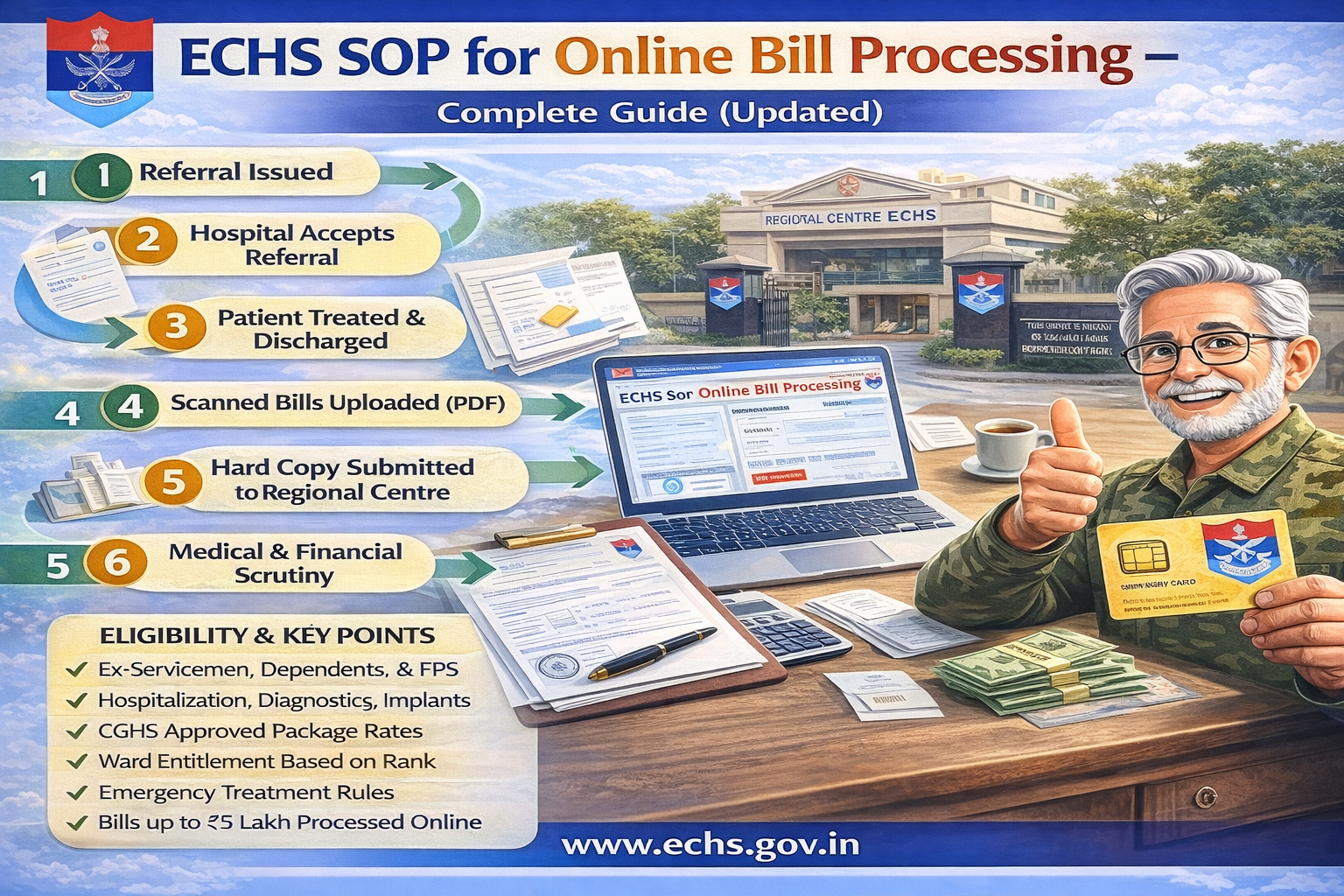
ECHS SOP for Online Bill Processing – Complete Guide (Updated)

The Ex-Servicemen Contributory Health Scheme (ECHS) provides comprehensive medical care to ex-servicemen, pensioners, and their eligible dependents. To ensure transparency and faster settlements, ECHS has introduced a structured Online Bill Processing System governed by an official Standard Operating Procedure (SOP).

This article explains the ECHS Online Bill Processing SOP in simple terms, covering eligibility, referrals, reimbursement rules, emergency cases, package rates, implants, and the complete online workflow.

Official SOP PDF:
https://www.echs.gov.in/assets/General%20SOP/SOP%20Online%20Bill%20Processing.pdf


What Is ECHS Online Bill Processing?

ECHS Online Bill Processing is a digital system used to:

  • Process bills of empanelled hospitals
  • Reimburse eligible expenses for non-empanelled emergency treatments
  • Reduce delays, paperwork, and manual errors
  • Ensure payments as per CGHS / ECHS approved rates

The system applies to hospitalization, diagnostics, procedures, implants, and follow-up care.


Who Is Eligible Under ECHS?

ECHS benefits apply to:

  • Ex-servicemen drawing Service or Disability Pension
  • Widows receiving Family / Liberalized Family Pension
  • Spouse of pensioner
  • Unemployed sons below 25 years
  • Unemployed or unmarried daughters
  • Dependent parents (income below prescribed limit)
  • Mentally or physically challenged children (lifelong)
  • Newborn baby (up to 3 months, with birth certificate)

How Medical Treatment Works Under ECHS

1. Treatment Through ECHS Polyclinics

  • ECHS Polyclinics provide OPD services
  • If advanced care is required, referral is issued

2. Referral to Hospitals

Referrals can be made to:

  • Armed Forces Medical Services Hospitals
  • Empanelled Private Hospitals
  • Diagnostic & Dental Centres

Important: Referrals are issued only by authorized ECHS medical staff.


Ward Entitlement Based on Rank

Rank at RetirementWard Entitlement
NCOs & BelowGeneral Ward
JCOsSemi-Private Ward
OfficersPrivate Ward

If a higher ward is used due to non-availability, billing is restricted to entitlement only.


ECHS Package Rates – How Billing Works

ECHS follows CGHS Package Rates, which include:

  • Room charges & diet
  • Doctor visits
  • Surgery & OT charges
  • ICU/ICCU charges
  • Medicines & consumables
  • Investigations
  • Nursing & physiotherapy

Standard Package Duration

  • Super-speciality: 12 days
  • Major surgery: 7 days
  • Laparoscopic/Delivery: 3 days
  • Day care/minor surgery: 1 day

Extra stay is allowed only with medical justification and approval.


Emergency Treatment Rules

  • Emergency treatment is allowed in any hospital
  • Inform nearest ECHS Polyclinic within 48 hours
  • Emergency Information Report (EIR) is generated
  • Reimbursement is limited to CGHS/ECHS rates

Examples of emergencies:

  • Heart attack, stroke
  • Severe injuries & accidents
  • Acute respiratory failure
  • Snake bite, poisoning
  • Dialysis as life-saving emergency

Online Bill Processing Flow (Simplified)

Step-by-Step Process

  1. Referral issued by ECHS Polyclinic
  2. Hospital accepts referral
  3. Patient treated & discharged
  4. Hospital uploads:
    • Scanned bills (PDF)
    • Discharge summary
    • Investigation reports
  5. Hard copy submitted to Regional Centre
  6. Medical & financial scrutiny
  7. Approval by CFA (Competent Financial Authority)
  8. Payment released via ECS directly to hospital

Bills up to ₹5 lakh are processed online.
Bills above ₹5 lakh require Central Organization approval.

ECHS Mediclaim Reimbursement Process: ECHS SOP for Online Bill Processing – Complete Guide (Updated)

Documents Required for Bill Submission

Mandatory documents include:

  • ECHS Card copy
  • Referral letter
  • Emergency certificate (if applicable)
  • Discharge summary
  • Itemized & final bills
  • Investigation reports
  • Implant invoices with stickers
  • Prior approval (for unlisted procedures)

All pages must be serially numbered.


Implants & Special Procedures

ECHS reimburses implants like:

  • Cardiac stents
  • Pacemakers
  • Orthopedic implants
  • Neuro implants
  • Cochlear implants
  • IOL (eye lenses)

Reimbursement is limited to CGHS ceiling rates.
Original invoices and implant stickers are mandatory.


Oncology, Dialysis & Long-Term Care

  • Oncology referrals are issued once for full treatment cycle
  • Chemotherapy & radiotherapy billed at CGHS super-speciality rates
  • Dialysis allowed as emergency even in non-empanelled hospitals
  • Rehabilitation & terminal care allowed up to 6 months

Follow-Up & Repeat Treatment

  • Referrals valid for 1 month
  • Renewed referrals required for ongoing treatment
  • Oncology referrals exempt from monthly limit

Key Do’s and Don’ts

Do’s

✔ Always take treatment via ECHS referral
✔ Submit bills within one month of discharge
✔ Keep original bills & reports
✔ Inform polyclinic immediately in emergencies

Don’ts

✖ Do not exceed ward entitlement
✖ Do not purchase medicines externally during hospitalization
✖ Do not delay bill submission without approval


Final Words

The ECHS Online Bill Processing SOP ensures:

  • Transparency
  • Faster reimbursements
  • Uniform medical billing
  • Financial protection for veterans and families

Understanding this SOP helps beneficiaries avoid claim rejections, delays, and unnecessary expenses.