
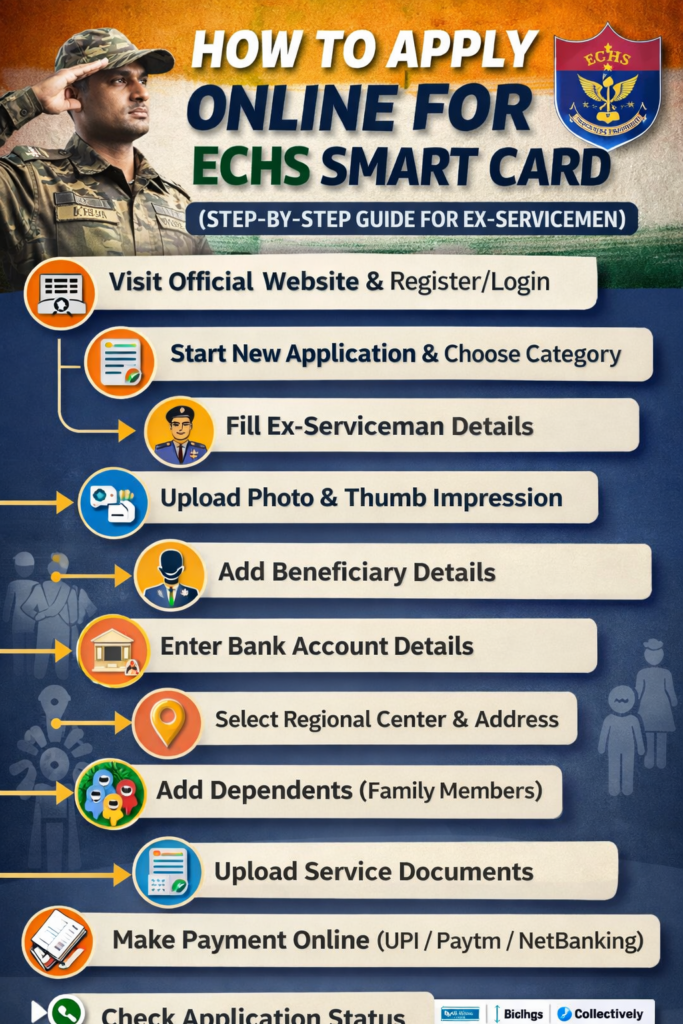
The Ex-Servicemen Contributory Health Scheme (ECHS) provides medical facilities to retired armed forces personnel and their dependents. If you are an ex-serviceman or a family member, applying for the ECHS Smart Card is essential to access healthcare benefits.
In this article, we will guide you through the complete online application process for the ECHS Smart Card, step by step.
The ECHS Smart Card is a digital identity card issued to ex-servicemen and their dependents. It allows them to avail medical facilities at ECHS polyclinics, government hospitals, and empanelled private hospitals across India.
🌐 Step 1: Visit the Official Website
Open your browser and search for ECHS Smart Card Online Application
Click on the official ECHS website
Accept the initial prompt and proceed
📝 Step 2: Register on the Portal
Before applying, you must register:
Click on Register
Enter your details (mobile number, email, etc.)
Complete the registration process
👉 If you already have an account, simply log in.
🔐 Step 3: Login to Your Account
Enter your registered mobile number
Enter your password
Fill in the verification code (captcha)
Click on Login
📄 Step 4: Start New Application
Click on “Edit Application” / Apply New Application
Choose the correct application category, such as:
Future retiree
Old card holder (16KB / 32KB)
Retired before/after specific dates
Temporary card holder
Lost card cases
Widow / dependent cases
🧍 Step 5: Fill Ex-Serviceman Details
Enter the following details carefully:
Name of ex-serviceman
Service number (with prefix & suffix)
Gender
Date of birth
Unit served last
Date of joining & retirement/discharge
Service type (Army/Navy/Air Force)
Rank & category (JCO/OR)
Record office
Pension type (Service/Family)
Status (Alive/Deceased)
📸 Step 6: Upload Required Documents
You need to upload:
Passport-size photo
Thumb impression (scanned copy)
Required service documents
Make sure all files are clear and in the correct format.
👨👩👧 Step 7: Add Beneficiary Details
Fill details of the primary beneficiary:
Name, gender, mobile number
Email ID
Disability (if any)
Monthly income
Aadhaar number
PAN (if available)
Drug allergy details
🏦 Step 8: Enter Bank Details
Provide:
Bank account number
IFSC code
Bank name & branch address
📍 Step 9: Select Location Details
Regional center
Parent polyclinic
Station headquarters
Permanent address (State, district, PIN code)
Current address (if different)
👨👩👦 Step 10: Add Dependents
You can add family members:
Upload their photo & thumb impression
Enter name, relation, DOB
Provide Aadhaar & contact details
Mention income & disability (if any)
👉 You can add multiple dependents.
📎 Step 11: Upload Supporting Documents
Upload service documents (like discharge book)
Verify all details before submission
💳 Step 12: Make Payment
Click on Make Payment
Pay via:
UPI
Paytm
Net Banking
After successful payment, your application will be submitted.
📊 Step 13: Track Application Status
Once submitted:
You can check the application status online
Keep your login details safe for future tracking
⚠️ Important Tips
Always double-check details before submitting
Upload clear and valid documents
Use correct category while applying
Keep your registered mobile number active
🏁 Conclusion
Applying for the ECHS Smart Card online is now simple and convenient. By following the above steps, ex-servicemen and their families can easily complete the application and access healthcare benefits without hassle.